22 Original user manual
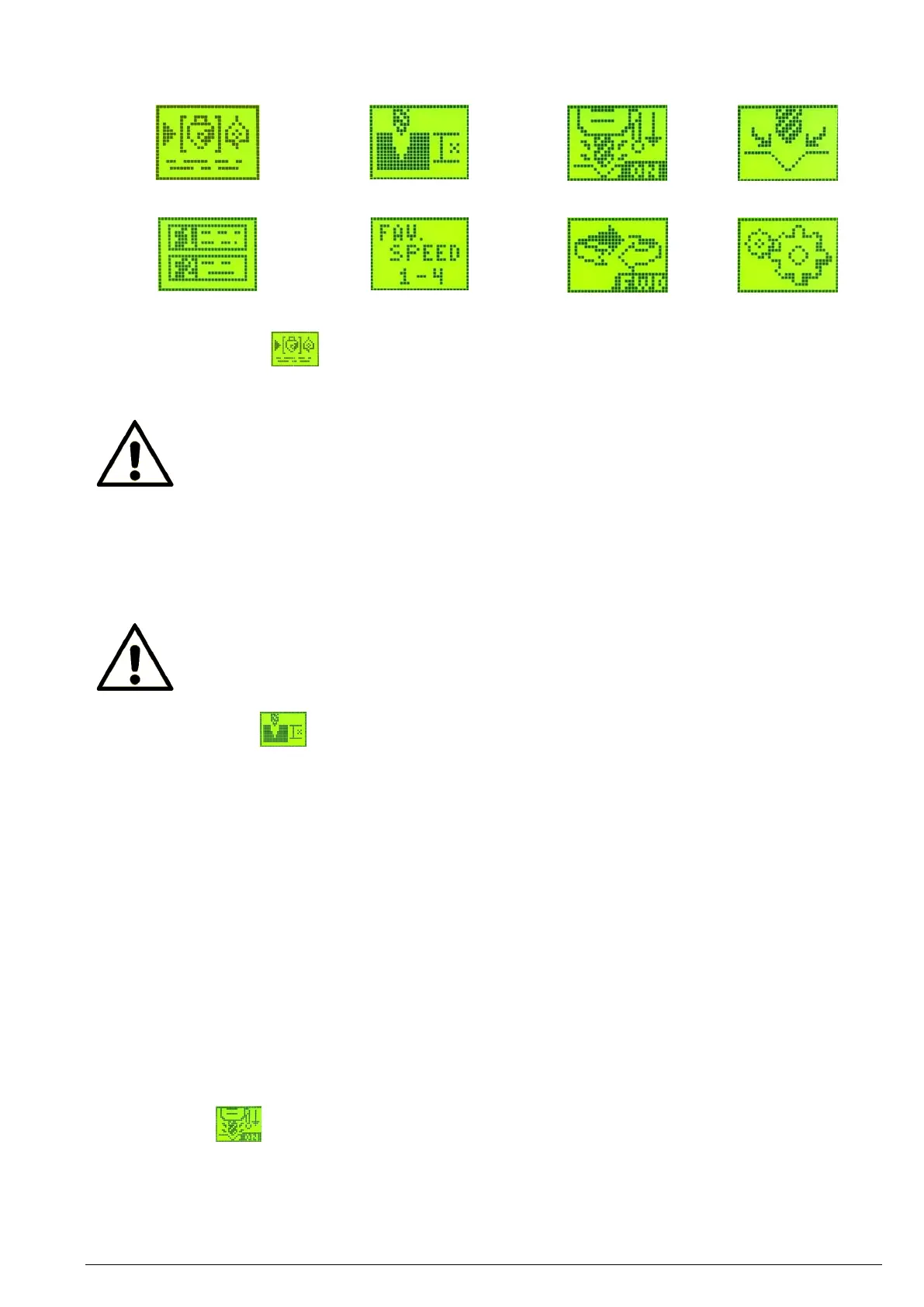
Menu items
After selection of the drill bit type, drill bit size and workpiece material, the integrated speed chart enables your
NOVA Voyager DVR pillar drill to determine a recommended speed and set it automatically.
Note:
The speed chart is available in both metric and imperial units. Select menu item <Configurations>
and then submenu item <Interface settings> to change the unit of measurement.
Using the speed chart
1. Select menu item <Speed Chart>.
2. Select the appropriate drill bit type.
3. Select the drill bit size.
4. Select the workpiece material.
5. Confirm the proposed speed.
6. The display will return to the home screen. The new set speed is now displayed here.
Note:
The speed chart only serves to provide approximate guide values. The actual speed may still have
to be adapted. Select the speed based on your experience.
Essentially, this function is an electronic depth stop that emits warning beeps when approaching the set depth and
stops the motor when the set depth is reached.
To activate this function, select the menu item <Select drilling depth> and set the desired drilling depth using the
<F1> / <F2> buttons or the dial.
Press the <ON> button to reset the value to “OFF”.
Press the <ZERO / Confirm> button to save the set depth and return to the home screen.
Press the <MENU / Cancel> button to cancel any changes.
To turn off the user defined depth function, press the <ON> button and then the <ZERO / Confirm> button.
When drilling blind holes of a certain depth, it is recommended to set the depth to zero on the workpiece surface.
When the user set depth function is activated, the currently set depth will be displayed in a field on the home
screen. When the function is not activated, the field will be blank.
When the function is activated, the machine will start beeping 10 mm (0.5”) before the drill bit reaches the set
depth. The beeping will become faster the closer the drill bit gets to the set depth. Once the set depth has been
reached, the motor will turn off and the machine will revert to idle. The behaviour of the machine when it reaches
the set depth can be changed in menu <Configurations> selecting <Interface settings> and <SET Depth Stop>.
The self-start function automatically switches the pillar drill motor on and off when the drill bit reaches a pre-
determined depth and as such enables one-handed drilling. The motor will start automatically when the quill is
extended 7 mm (0.29”) and will stop automatically when the quill is retracted to 6 mm (0.24”).


 To Next Page
 Loading...