EasyManua.ls Logo

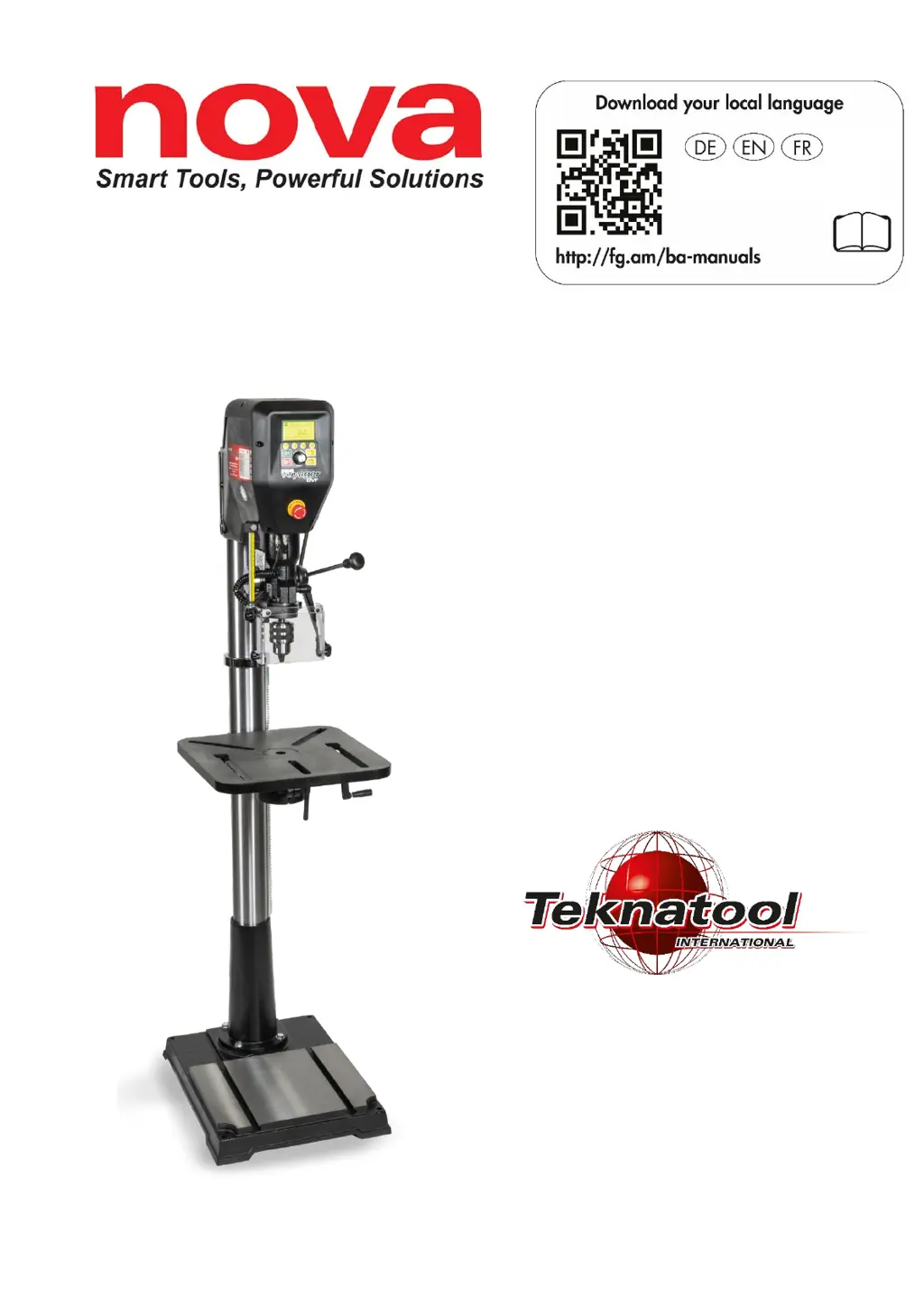
Teknatool Nova Voyager DVR - User Manual

Teknatool Nova Voyager DVR
37 pages
Print Icon
To Next Page IconTo Next Page
Loading...
Voyager DVR
Pillar drill
USER MANUAL
Model: 58003 (EU model)
500-15-902, ENG
Original user manual
All rights reserved.

Other manuals for Teknatool Nova Voyager DVR

Questions and Answers

Summary

CONTACT

Worldwide (except USA)

Contact information for Teknatool International Ltd. outside the USA.

Europe

Contact information for Felder KG in Europe.

Symbol legend

Introduction

Copyright

Warranty

Intended use

Making changes and modifications to the machine

Basic health and safety instructions for power tools

Workplace safety

Guidelines for maintaining a safe and organized work environment during operation.

Electrical safety

Precautions for safe handling of electrical components and connections.

Personal safety

Essential safety practices for the operator to prevent injury.

Health and safety instructions for pillar drills

Wear personal protective equipment (PPE)

Mandatory protective gear required for safe operation of the pillar drill.

Safe Workplace and Environment

Ensures a safe operating environment by covering clothing, workplace cleanliness, and conditions.

Operational Safety Precautions

Key safety measures during operation, including preventing unintentional starts and securing the workpiece.

Pre-Operation Checks and Adjustments

Procedures for checking settings, making adjustments, and handling fuses before operation.

Use and care of the power tool

Service

Safety devices

Chuck guard

Explanation and function of the pillar drill's chuck guard for safety.

EMERGENCY STOP function

Location and operation of the emergency stop button for immediate shutdown.

Technical data of the pillar drill

Dimensions and specifications

Detailed physical dimensions and specifications of the pillar drill.

Motor specifications

Technical details regarding the motor, including power, speed, and voltage.

Operation and storage conditions

Operating;room temperature

Recommended temperature ranges for machine operation.

Storage;transport temperature

Recommended temperature ranges for storing and transporting the machine.

Humidity (non-wetting)

Humidity level requirements for proper operation and storage.

Noise emissions

Measurement and values

Details on noise measurement standards and emission levels during operation.

Pictograms, signs and labels

Warning labels on the machine

Identification and explanation of pictograms and labels affixed to the machine.

Features of the NOVA Voyager DVR

Motor and Drive System

Details on the DVR motor, direct drive, variable speed, and rotation control.

Table and Depth Control

Information on the stable cast iron table and electronic depth stop functionality.

Convenience Features

Highlights features like self-start for enhanced user convenience.

Transport package content

Assembling and adjustment of the pillar drill

Unpacking and preparing the pillar drill

Steps for unpacking and preparing the machine for assembly.

Attaching the column to the base

Instructions for securely connecting the column to the base.

Mounting the table arm and the rack

Procedure for assembling the table arm and rack components.

Mounting the drill chuck and chuck arbour

Positioning the table

Tilting the table

Quill lock

Using the mechanical depth stop

Adjusting the chuck guard height

Connection to the power supply

Attention! (Power connection warnings)

Critical safety warnings and requirements for connecting the machine to power.

Fuse protection

Information on required fuses and residual-current circuit breakers.

Installation of the pillar drill

Location selection factors

Considerations for choosing an optimal and safe location for the pillar drill.

Operating the pillar drill

Switching on

Procedure for powering on the NOVA Voyager DVR pillar drill.

Setting the language of your pillar drill

Steps to change the display language of the pillar drill interface.

Calibrating the height sensor

Instructions for calibrating the height sensor for accurate depth measurements.

Display elements on home screen

Controls

Start;Stop and Navigation Buttons

Functionality of ON, OFF, ZERO/Confirm, and MENU/Cancel buttons.

Function (F1-F4) Buttons

Usage of F1-F4 buttons for favorite speeds or custom functions.

Speed adjustment

Button functions and navigation

Safety and Operational Notes

User interface

Running the pillar drill

Steps for starting the motor, stopping, and setting depth zero point.

User interface menu navigation

How to navigate and interact with the pillar drill's menu system.

Menu items

<Speed Chart>

Using the speed chart for recommended drill bit speeds based on material and size.

<User Set Depth>

Functionality for setting a precise drilling depth with audible alerts.

<Self Start>

Description of the self-start feature for automated drilling cycles.

<Advance Modes>

<Pilot Hole>

Function to drill pilot holes by automatically adjusting speed based on load.

<Tapping Mode>

Information on the two tapping modes for thread cutting operations.

<Chip Breaker>

<Pwr Spindle Hold>

<Edit F Shortcuts>

<Favourite speeds>

<Direction: FORWARD;REVERSE>

<Configuration>

<Interface Settings>

Options for units, display modes, sound, and language settings.

<Motor Performance>

Settings for maximum RPM, power limit, braking, load sensor, and vibration sensor.

<Adv. Motor Params>

<Set Password>

<Update FW (Firmware)>

<Version Info>

<Factory Reset>

Care and maintenance

Maintenance after each use

Cleaning procedures to be performed after each use of the pillar drill.

Monthly maintenance

Regular maintenance tasks performed monthly for optimal machine condition.

Half yearly maintenance

Lubrication and maintenance tasks to be performed every six months.

Decommissioning

Recommended speeds

Speed chart for drilling operations

Reference table for recommended spindle speeds based on tool diameter and material.

Troubleshooting

Mechanical issues

Troubleshooting steps for common mechanical problems like run-out and quill retraction.

Excessive vibration

Diagnosing and resolving issues related to excessive vibration during operation.

Electrical issues

Pillar drill does not start

Steps to diagnose and resolve issues when the pillar drill fails to power on.

Error messages

Explanation and solutions for common error messages displayed by the pillar drill.

Guarantee conditions

Exploded diagram - headstock

Exploded diagram - stand and table

Parts list - pillar drill

Wiring diagram

Declaration of Conformity

UKCA - Declaration of Conformity

Teknatool Nova Voyager DVR Specifications

General IconGeneral
Swing Over Bed16" (406mm)
Distance Between Centers20" (508mm)
Tailstock TaperMT2
Spindle TaperMT2
Index Positions24
Swing Over Tool Rest10 inches
Spindle Thread1" x 8 TPI

Related product manuals