26 Original user manual
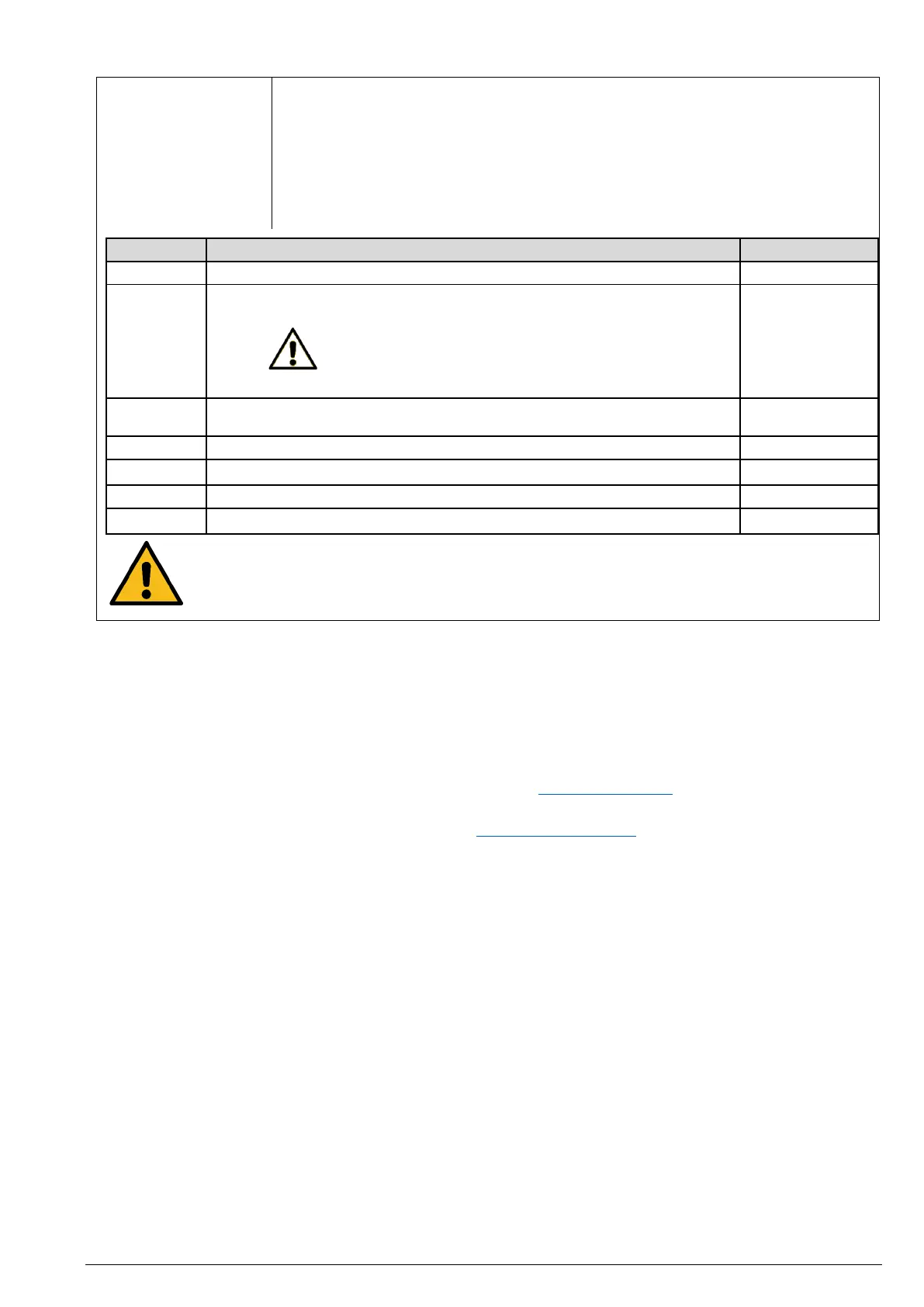
The DVR motor has built-in speed control profiles, each with slightly different PI
controller coefficients and performance characteristics:
• <Soft> – for light drilling. The controller will less aggressively add power to the
motor to maintain the speed.
• <Normal> (default setting) – suitable for most work and therefore the default
setting.
• <Hard> – for tough drilling. The controller will more aggressively add power to
the motor to maintain the speed.
Motor speed control profile
PI speed controller coefficients
Note:
These parameters cannot be stored in the EEPROM memory
because they are based on the speed profile parameter.
PI voltage controller coefficients
Motor phase DC bus voltage
Temperature of the controller heatsink
Temperature threshold for current reduction
Difference between set and run speed
Attention!
Extreme changes to these parameters can result in undesirable and potentially unsafe motor
behaviour. Contact your dealer or the NOVA customer service if you have any questions on
what effects your changes will have.
<Set Password>
This function allows you to set a password that must be entered to start up the pillar drill. If you have forgotten the
password, performing a factory reset will clear the password.
< Update FW (Firmware)>
The HMI software plays an important role in the control and functionality of the NOVA Voyager DVR pillar drill. The
firmware installed is responsible for controlling the features and performance of the pillar drill.
The firmware version can be upgraded using a USB cable and a PC with internet access.
The latest firmware version is available on the manufacturer's site www.teknatool.com. Regular updates offer new
features and software improvements and as such enhance the performance of your machine.
If you have any questions, send an e-mail (in English) to: service@teknatool.com.
<Version Info>
The version of the HMI and the main circuit board that is currently installed, will be displayed on the screen.
<Factory Reset>
If you are experiencing problems with the NOVA Voyager DVR, this is how to perform a factory reset on your pillar
drill.
Proceed as follows:
1. Press the <MENU / Cancel> button.
2. Select menu item <Configuration>.
3. Select <Factory Reset>.
4. Press the <ZERO / Confirm> button.
5. Turn off the pillar drill. Wait five minutes for the circuits to completely discharge.
6. Turn the pillar drill on. The screen should now display <Warning! EEPROM Reset>.
7. Turn off the pillar drill again and wait another five minutes.
8. Turn on the pillar drill again. The factory reset has now been completed.


 To Next Page
 Loading...