Version 2024 15
Mounting the drill chuck and chuck arbour
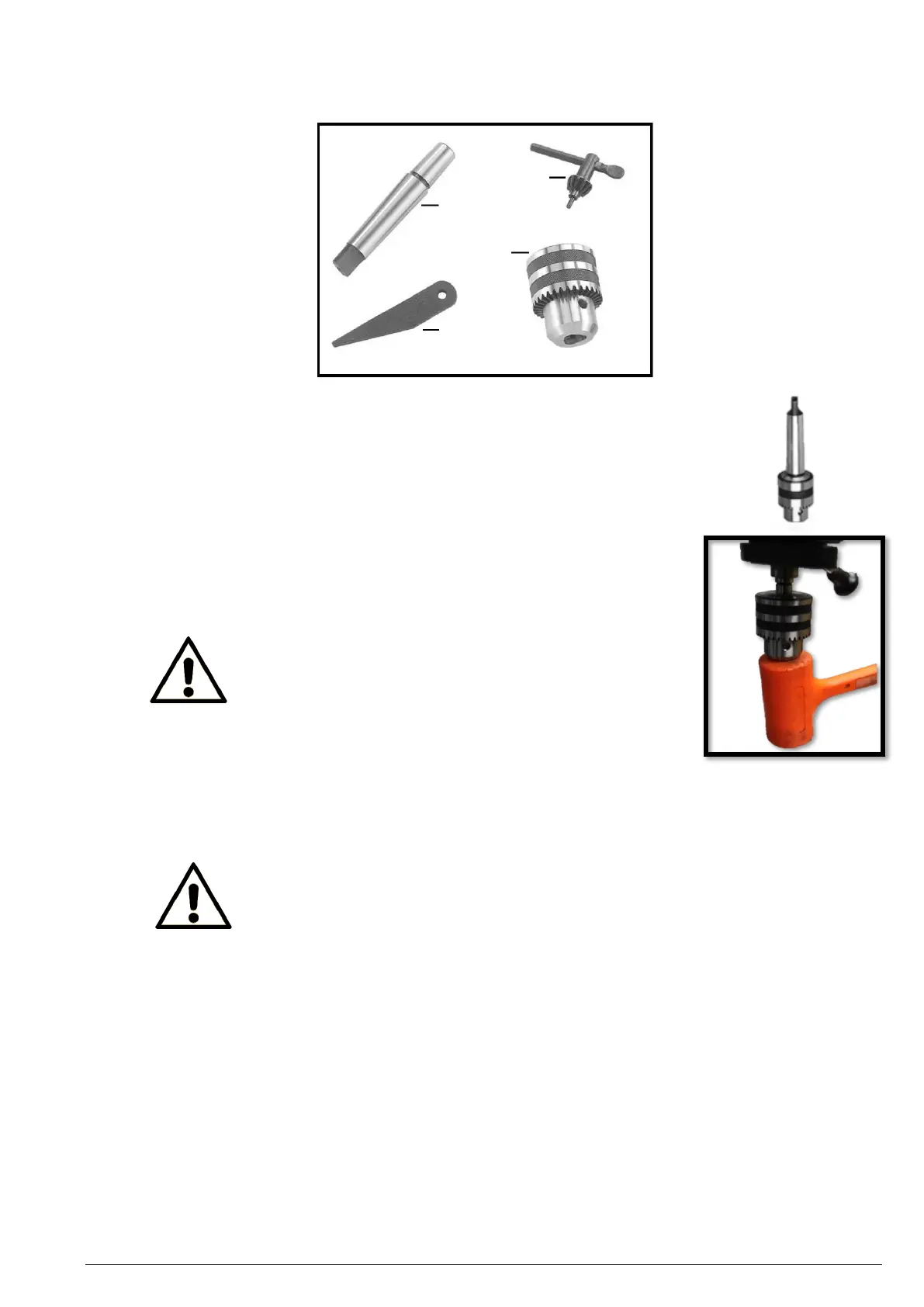
1. Before mounting the chuck, clean the chuck arbour Morse taper carefully to
make sure it is free of grease and dirt.
2. Insert the chuck arbour into the drill chuck. Use a plastic mallet if necessary.
3. Insert the chuck arbour and drill chuck assembly into the quill of the pillar
drill until it stops. If this is not possible, rotate the drill chuck while applying
light force upwards until the chuck arbour is well seated.
4. If necessary, secure the chuck arbour by lightly tapping it with a plastic mallet
(alternatively, use a hammer and a block of wood).
Attention!
Never hit the drill chuck and chuck arbour
directly with a metal hammer to avoid damage.
Positioning the table
Adjust the height and rotational position of the table using the crank handle attached to the rack of the column.
1. Loosen the clamping lever on the rear of the table arm.
Note!
ALWAYS loosen the clamping lever when adjusting the position of the table!
2. Rotate the crank handle attached to the rack of the column to adjust the table height.
3. Swing the table about the column to the desired position.
4. Tighten the clamping lever. Make sure the table is securely locked in place before drilling.
Tilting the table
1. Loosen the hex head screw underneath the table using the included 27 mm open-ended spanner.
2. Loosen the safety screw underneath the screw you just loosened with a 5 mm hex key.
3. Tilt the table to the desired position.
4. Retighten the hex head screw and the safety screw. Make sure the table is securely locked in place before
drilling.


 To Next Page