16 Original user manual
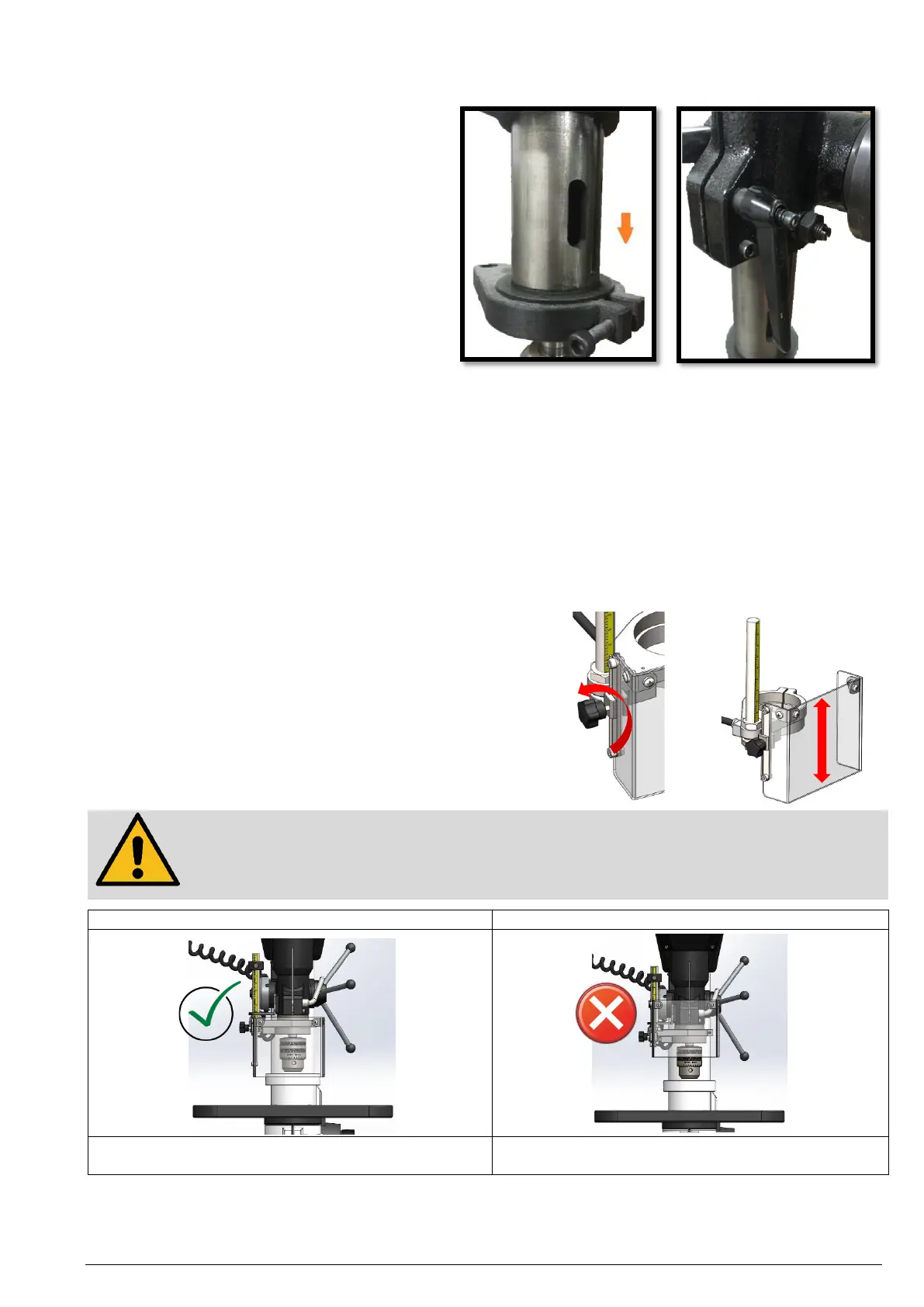
Quill lock
1. To lock the quill at a certain depth,
pull the quill down to the desired
position.
2. Tighten the clamping lever by turning
it clockwise until the quill is locked.
If the quill cannot be locked even though the clamping lever is fully tightened, proceed as follows:
a. Pull the clamping lever out along the screw until it disengages and can be turned freely.
b. Turn the clamping lever counterclockwise.
c. Release the clamping lever so that it engages again.
d. Tighten the clamping lever and lock the quill.
Using the mechanical depth stop
1. Press the button on the front of the quick release mechanism and slide it down to the desired position.
2. To carry out a fine adjustment of the height, rotate the quick release mechanism along the thread.
Adjusting the chuck guard height
The position of the chuck guard can be adjusted vertically to cover drill chucks and tools of different sizes.
1. To adjust the chuck guard height, loosen the star knob
screw on the side.
2. Now move the chuck guard up or down.
3. Tighten the star knob screw again.
Attention!
Make sure to have the chuck guard covering the entire chuck. If the chuck guard is not positioned
correctly, parts may be flying out towards you or may get into the moving parts of your machine,
posing a safety hazard.
The chuck guard covers the entire drill chuck.
The drill chuck protrudes beyond the drill chuck cover.
This is a potential safety hazard for the user.


 To Next Page