Need help?
Do you have a question about the Tekno Point CONSOLLE Series and is the answer not in the manual?
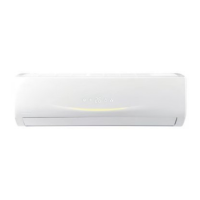
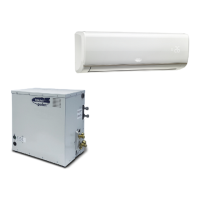
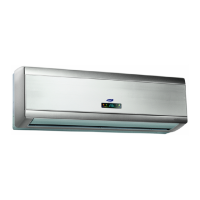
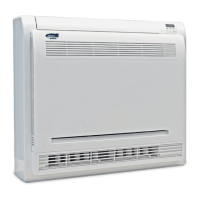
Provides a description of the floor standing console air conditioner and its series.
Key safety guidelines for operating and maintaining the appliance, including user and child safety.
Procedures for addressing abnormal phenomena and electrical safety during operation.
Visual guide to the parts of the indoor unit, including panel, louvers, and outlets.
Details the remote controller's display, buttons, and indicators for user interaction.
Instructions on how to install batteries in the remote controller correctly.
Step-by-step guide to turn on the unit and select operating modes, temperature, and fan speed.
Visual identification and labeling of all buttons and indicators on the remote controller.
Explains the ON/OFF, MODE selection, and temperature adjustment functions.
Details on using the FAN button for speed control and swing functions for airflow direction.
Covers advanced features like Turbo, Health, and Sleep modes for enhanced comfort and efficiency.
Instructions for setting the clock and programming timer functions for automatic operation.
Details on using ECO, QUIET modes, and controlling the display light for optimal operation.
Explains SMART function and combination button uses like child lock and display switchover.
Provides instructions on how to clean the exterior surface of the indoor unit.
Step-by-step guide on how to open the panel, remove, clean, and dry the air filter.
Filter installation and checks to perform before and after the operating season.
Information on proper disposal of packing materials and the air conditioner unit.
Addresses common problems like remote signal issues, unit not operating, or no air emission.
Covers issues such as mist, temperature adjustment problems, odors, and operational noises.
Lists specific error codes and provides troubleshooting steps for each.
Guidance on critical issues requiring immediate power off and professional service contact.
Visual representation of installation and considerations for choosing the optimal location.
Lists necessary tools and outlines critical safety and grounding requirements for installation.
Steps for installing the wall hook and drilling the necessary hole for piping.
Instructions on identifying and cutting the unit casing for pipe and cable routing.
Detailed steps for connecting the refrigerant pipes and installing the drain hose.
Steps for connecting the unit's wiring and bundling pipes and cords for a neat installation.
A comprehensive checklist to verify installation completeness and prevent potential issues.
Steps for client approval and testing the unit's functionality across all operational modes.
 General
| Brand | Tekno Point |
|---|---|
| Model | CONSOLLE Series |
| Category | Air Conditioner |
| Language | English |

 To Next Page