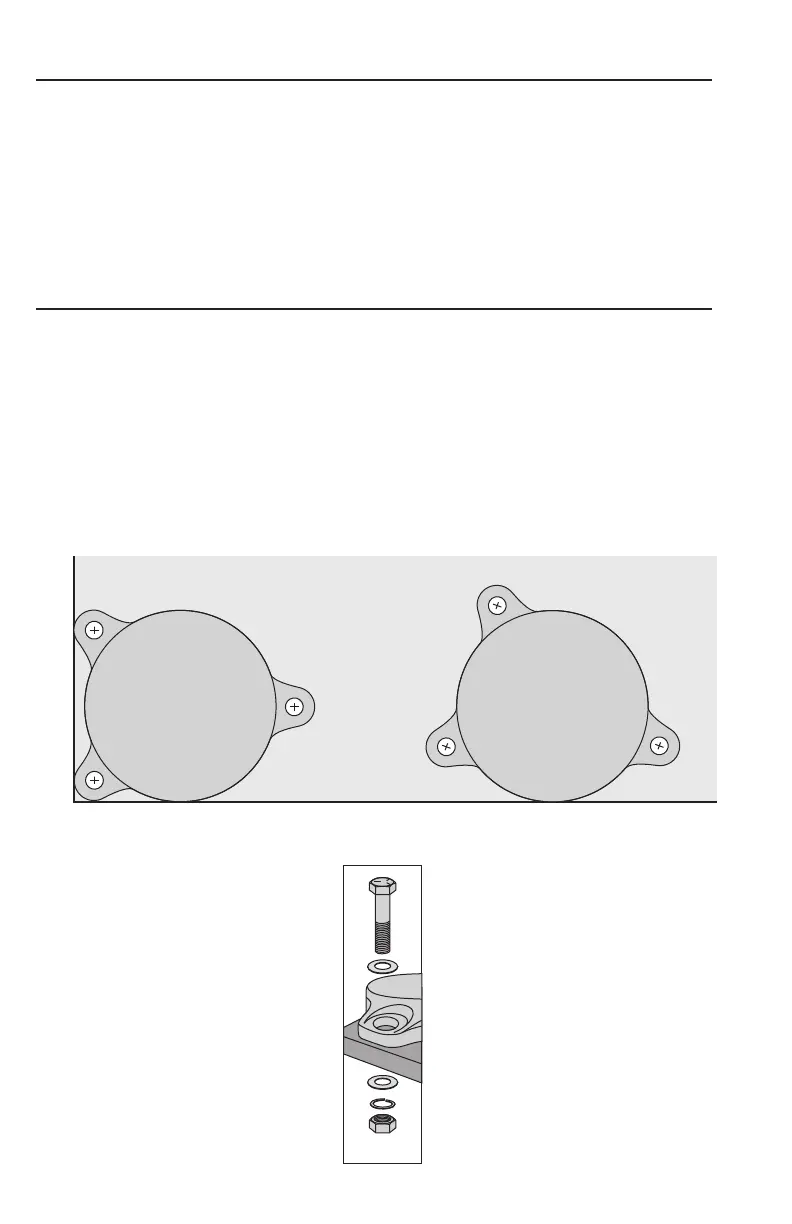
1. Use included mounting template to identify desired vise mounting location.
(Suggested placement shown in diagram below)
2. Mark and drill holes. Make certain the drilling path is clear of any hazards.
3. Install proper length and diameter bolts and flat washers through vise base.
The bolts should protrude at least 1” below bench surface. On underside of
bench surface use flat washers, lock washers, and locking nuts.* Securely
tighten vise to workbench.
SETUP AND MAINTENANCE
MOUNTING VISE
*Fasteners
not included
EDGE MOUNTCORNER MOUNT
Workbench
• Keep machined surfaces and all moving parts clean and free of dirt, chips, and
foreign materials.
• Use multipurpose grease to keep moving parts lubricated.
• Routinely apply mineral oil to machined surfaces to prevent surface rust.



 To Next Page