SF340B and SF381 Pull/Pull Cord Emergency Switch Operation
The SF340B and SF381 devices function in the same manner as the SF337C, but are not water resistant.
SF341B and SF382 Code Call Switch Operation
Pull-Down/Reset Lever: The pull-down/reset lever is used to place and reset code priority calls.
Call-Placed Light: The red light flashes to indicate call placement.
To Place a Call: Pull on the blue lever.
To Cancel a Call: Push the blue lever to the “up” position. Calls must be reset at the point of origin.
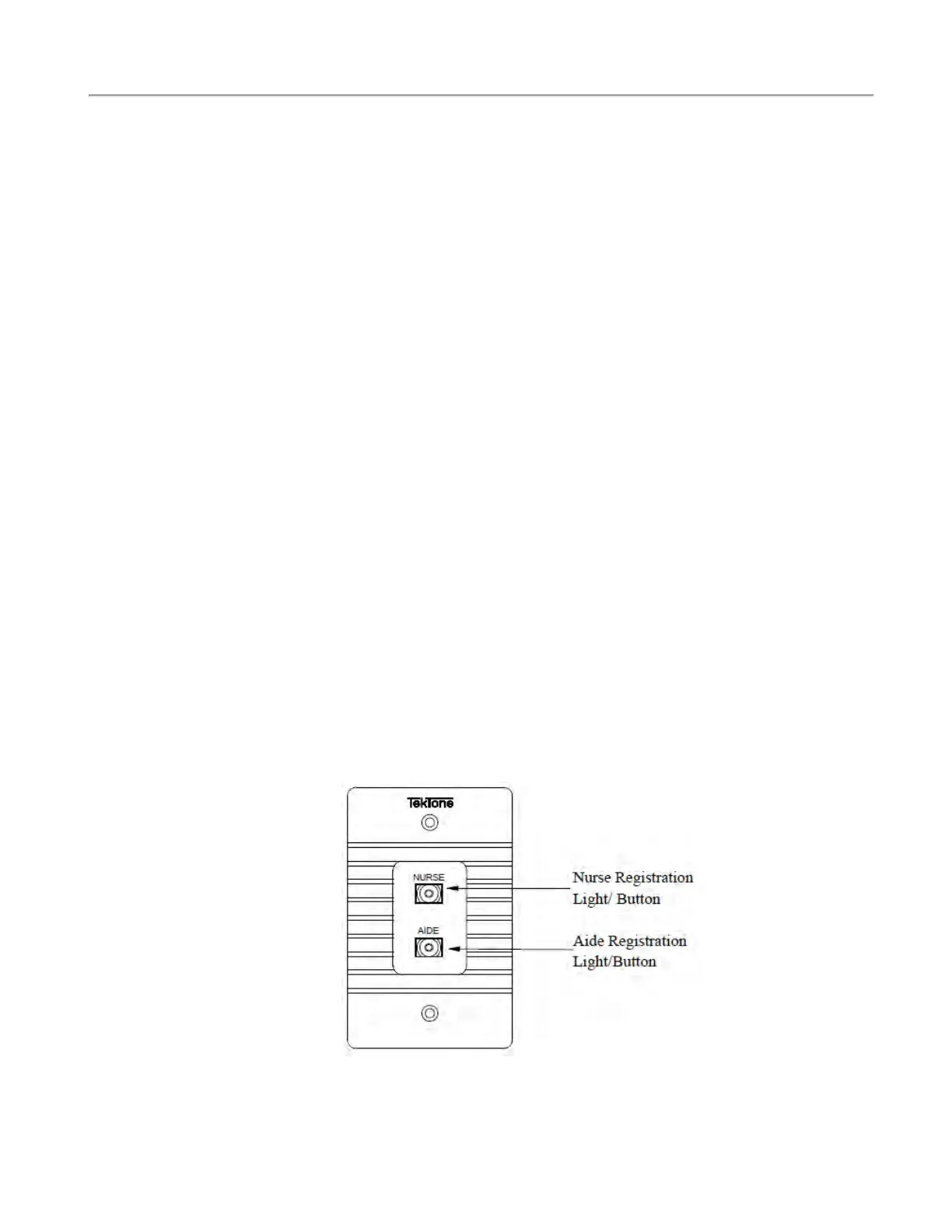
SF350B Nurse(L1)/Aide(L2) Presence Station Operation
Nurse Registration Button: The nurse registration button (green) is used to initiate and cancel a nurse-
present signal to the master station. Upon registration activation, it will also reset any routine, personal
attention or priority call made from the associated room.
Nurse Registration Light: The green light will flash to indicate a nurse service request and will light
steadily to indicate a nurse-present status. This light will go out when the nurse is no longer registered
in the room.
Aide Registration Button: The aide registration button (yellow) is used to initiate and cancel an aide-
present signal to the master station. Upon registration activation, it will also reset any routine, personal
attention or priority call made from the associated room.
Aide Registration Light: The amber light will flash to indicate an aide service request and will light
steadily to indicate an aide-present status. This light will go out when the aide is no longer registered in
the room.
To Register Nurse or Aide Presence: Press the green (nurse) or amber (aide) button.
To Cancel Nurse or Aide Presence: Press the green (nurse) or amber (aide) button.
Figure 17 - SF350B Nurse/Aide Presence Station
Copyright
©
TekTone Sound and Signal Mfg., Inc. All Rights Reserved
IL1057 Tek-CARE300III Installation Manual | 23
System Operating Instructions



 To Next Page