Need help?
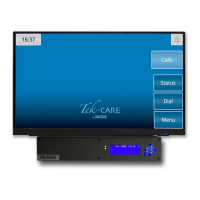
Do you have a question about the TekTone NC475 and is the answer not in the manual?
Explains static electricity, its causes, and effects on electronic equipment.
Details installer and user precautions to mitigate electrostatic discharge risks.
Outlines the sequence for installing system components and critical points to follow.
Details specifications and placement guidelines for key system hardware components.
Procedures for adjusting system audio quality and volume for clear communication.
Instructions for configuring the NC356CE module using dip switches and software.
Specifics on connecting master stations to the NC356CE module, including cable types and limits.
Guide on how patients interact with call cords, reset buttons, and other station features.
Instructions for staff and duty stations, including call placement, response, and cancellation.
Explains the function and indications of dome/zone lights for call status and priority.
Procedures and expected values for using a voltmeter to diagnose system issues.
Guidance on identifying and resolving common system problems like faults and audio noise.
 General
| Model | NC475 |
|---|---|
| Power Supply | 24 VDC |
| Number of Call Buttons | 1 |
| Series | Tek-CARE |
| Voltage | 24 VDC |
| Mounting | Surface Mount |
| Speaker Type | Built-in |
| Microphone Type | Built-in |


 To Next Page