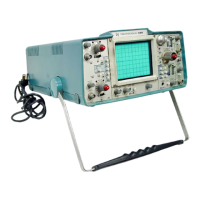
Performance Check/Calibration—Type 422 AC-DC
Fig. 5-22. (A) Typical CRT display when checking positive-slope
triggering, (B) typical CRT display when checking negative-slope
triggering.
39. Check Triggering Slope Switch Operation
a. Change the following control settings:
TRIGGERING Coupling AC
TIME/DIV .2 ms
c. CHECK—Rotate the LEVEL control throughout its
range and check that the display can be triggered (stable
display) at any point along the negative slope of the wave
form (indicates LEVEL control range of at least + and — 10
volts). The display is not triggered at either extreme of
rotation.
d. Set the SLOPE switch to the positive-going position.
e. CHECK—Rotate the LEVEL control throughout its
range and check that the display can be triggered (stable
display) at any point along the positive slope of the wave
form (indicates LEVEL control range of at least + and — 10
volts). The display is not triggered at either extreme of
rotation.
f. Disconnect all test equipment.
41. Check Auto Recovery Time
a. Change the following control settings:
CH 1 VOLTS/DIV .5
TRIGGERING Source CH 1 &
TRIGGERING Coupling
AC
TRIGGERING Mode AUTO
TIME/DIV .5 ms
b. Connect the time-mark generator to the INPUT 1
connector through the 42-inch 50-ohm BNC cable and the
50-ohm BNC termination.
c. Set the time-mark generator for 50-millisecond mar
kers.
d. CHECK—Stable display can be obtained with the
LEVEL control.
e. Set the time-mark generator for 0.1-second markers.
b. Set the low-frequency sine-wave generator for a four-
division display at one kilohertz.
c. CHECK—CRT display starts on the positive slope of
the waveform (see Fig. 5-22A).
d. Set the SLOPE switch to the negative-going position.
f. CHECK—Stable display cannot be obtained at any
setting of the LEVEL control.
42. Check/Adjust Normal Timing
a. Set the time-mark generator for 0.5-millisecond mar
kers.
e. CHECK—CRT display starts on the negative slope of
the waveform (see Fig. 5-22B).
40. Check Triggering Level Control Range
a. Change the following control settings:
CH 1 VOLTS/DIV 5
TRIGGERING Source EXT
TRIGGERING Coupling DC
LEVEL Midrange
b. Set the low-frequency sine wave generator for a
four-division display (20 volts peak to peak).
b. Set the LEVEL control for a stable display.
c. CHECK—CRT display for one marker each division
between the second and tenth vertical lines of the graticule
(see Fig. 5-23A). Tenth marker must be within 0.24 divi
sion (within 3%) of the tenth vertical line with the second
marker positioned exactly to the second vertical line.
NOTE
Unless otherwise noted, use the middle eight hori
zontal divisions (between second and tenth vertical
lines of the graticule) when checking or adjusting
timing.
5-29


 To Next Page
 Loading...