EasyManua.ls Logo

Tektronix 585 - Page 53

Tektronix 585
151 pages
Print Icon
To Next Page IconTo Next Page
To Previous Page IconTo Previous Page
Loading...
Maintenance
Type
585
normal,
the
trouble
can
be:
open
signal
connections,
no
signal
source,
the
plug-in,
the
probe,
or
even
loose
c
rt
con
nections.
The
material
that
follows
contains
information
for
trouble
shooting
each
circuit
for
various
types
of
troubles.
A
method
is
described,
in
some
instances,
for
locating
the
stage
in
which
the
trouble
may
be
originating;
once
the
stage
at
fault
is
known,
the
component(s)
causing
the
trouble
can
be
located
by
voltage
and
resistance
measurements
or
by
sub
stitution.
In
certain
other
instances
the
information
is
more
specific
and
the
trouble
can
be
traced
to
a
particular
com
ponent.
Front-Panel
Checks
The
following
front-panel
checks
will
help
you
to
isolate
the
trouble
in
an
instrument
to
a
given
circuit.
However,
the
interrelation
between
circuits
is
such
that
it
is
not
always
possible
to
isolate
the
trouble
exactly
using
these
checks.
If
you
are
unfamiliar
with
the
instrument,
these
front-panel
checks
should
prove
helpful
in
looking
for
the
trouble.
Before
attempting
any
of
the
following
front-panel
checks
make
sure
that
the
plug-in
installed
in
the
instrument
is
operating
correctly.
If
the
pilot
lamp
fails
to
light
when
the
POWER
switch
is
turned
to
the
ON
position,
and
if
the
fan
fails
to
operate,
turn
to
the
section
on
troubleshooting
the
Low-Voltage
Power
Supply.
If
the
pilot
light
and
fan
operate
but
the
Time-Delay
Relay
fails
to
operate
with
an
audible
click"
in
less
than
one
minute,
you
should
also
consult
the
section
on
Troubleshooting
the
Low-Voltage
Power
Supply.
With
a
Type
84
Plug-In
Test
Unit
installed,
and
the
pilot
light
and
fan
both
operating,
allow
the
oscilloscope
to
run
for
several
minutes.
Set
the
front-panel
controls
as
follows:
A'
STABILITY
'A'
TRIGGERING
LEVEL
fully
clockwise
0
'A'
TRIGGERING
SOURCE
INT.
A'
TRIGGER
SLOPE
+
A
TIME/CM
5
MILLISEC
'A'
VARIABLE
(TIME/CM)
fully
clockwise
HORIZONTAL
DISPLAY
A
B'
STABILITY
counterclockwise,
but
not
PRESET
FOCUS
mid-range
INTENSITY
fully
counterclockwise
ASTIGMATISM
mid-range
SCALE
ILLUMINATION
mid-range
HORIZONTAL
POSITION
mid-range
VERNIER
mid-range
Other
controls
may
be
left
at
any
setting.
Set
the
Type
84
front-panel
controls
as
follows:
LOAD
NORM.
DISPLAY
SELECTOR
CAL.
(2
CM)
AND
ALT.
SYNC
VERTICAL
POSITION
mid-range
Other
Type
84
controls
may
be
left
at
any
setting.
With
the
Type
84
controls
as
above,
there
should
be
two
traces,
two
centimeters
apart
on
the
c
rt.
It
may
be
neces
sary
to
readjust
the
VERTICAL
POSITION
control
to
bring
both
traces
in
view.
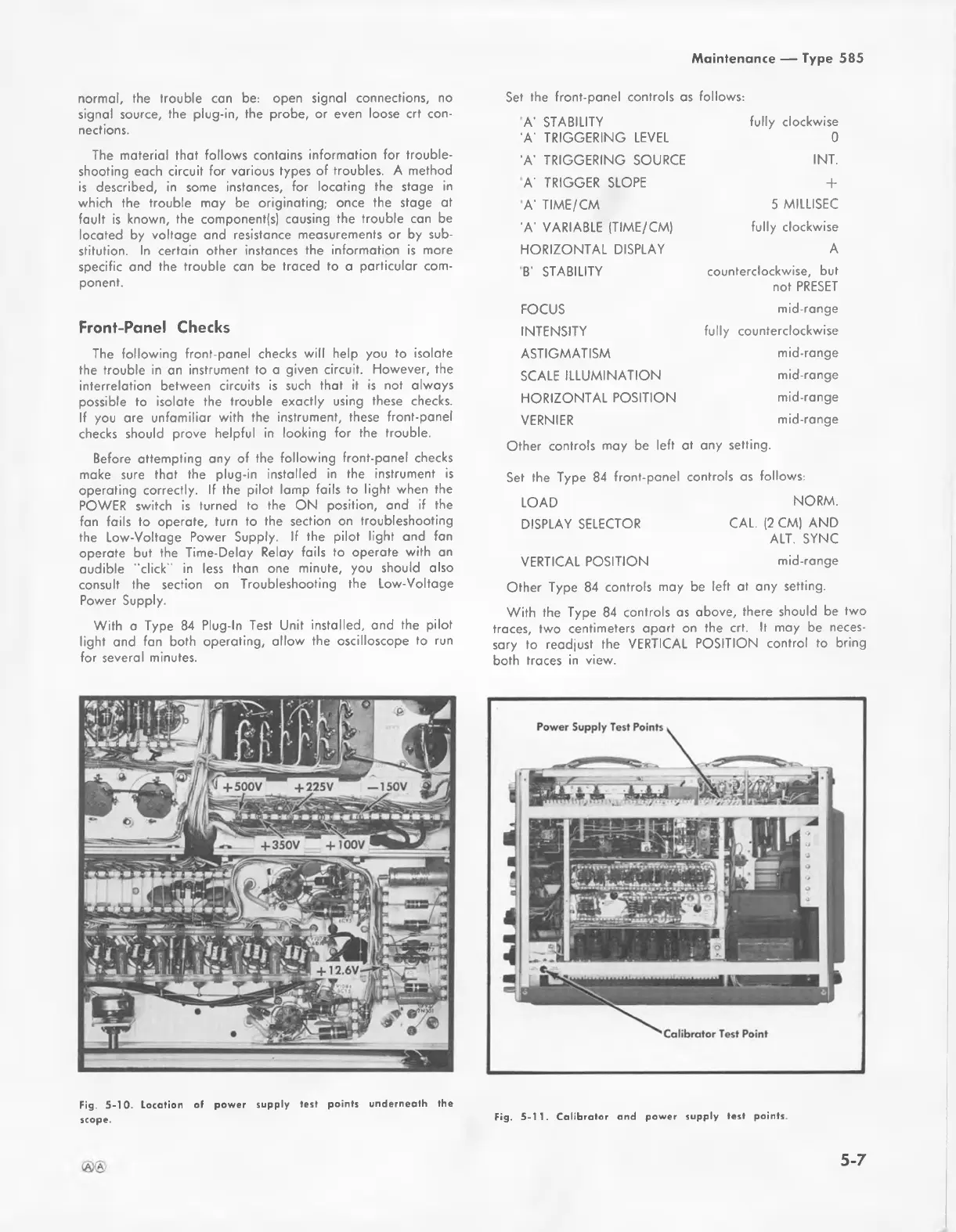
Fig.
5-10.
Location
of
power
supply
test
points
underneath
the
scope.
Fig.
5-11.
Calibrator
and
power
supply
test
points.
5-7

Related product manuals