TDS 500B, TDS 600B, & TDS 700A User Manual
2–3
Operating Interface Maps
This section contains illustrations, or maps, of the display, the front and rear
panels, and the menu system of the TDS Oscilloscope. These maps will help you
understand and operate the oscilloscope. This section also contains a visual guide
to using the menu system.
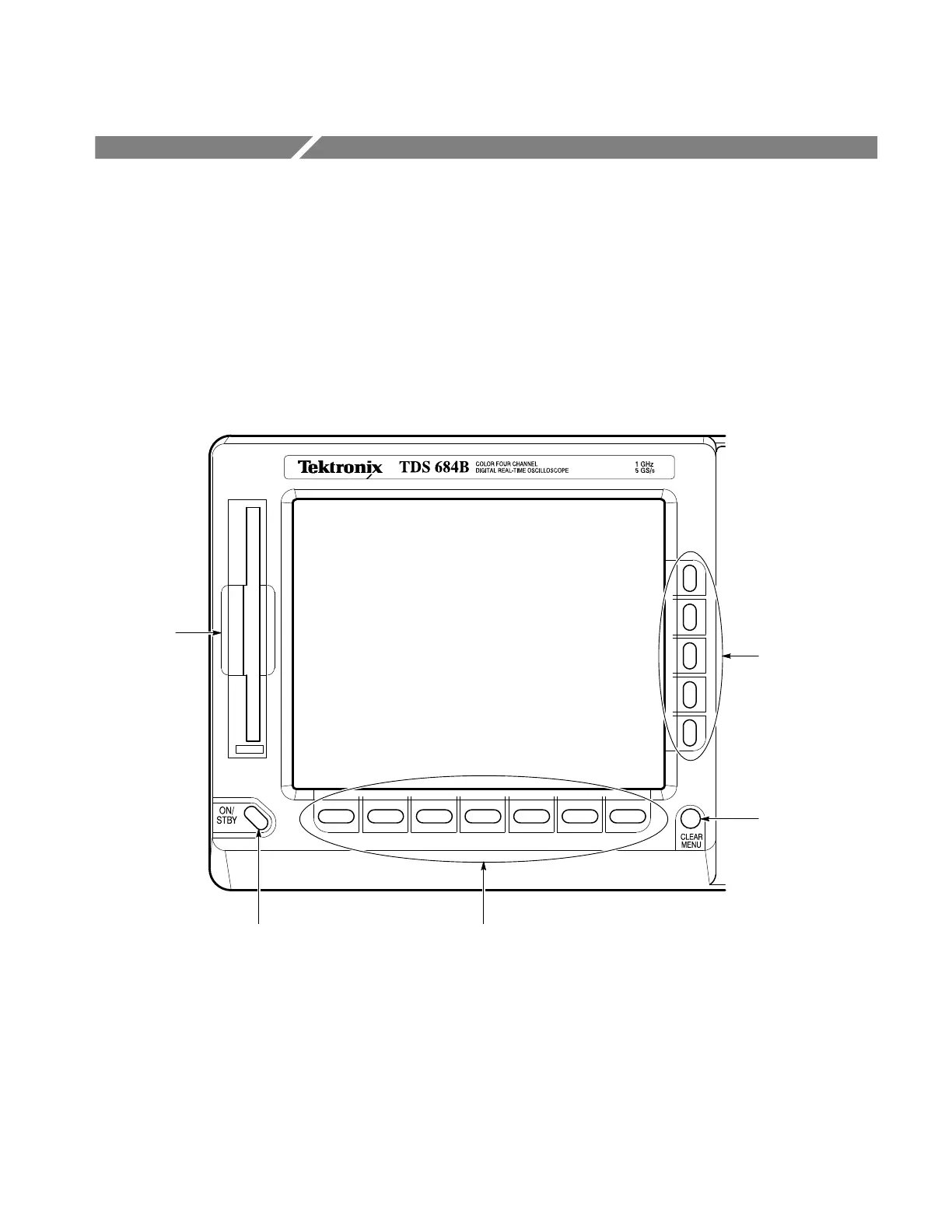
Front Panel Map — Left Side
ON/STBY Switch,
page 1–5
CLEAR MENU
Removes Menus
from the Display
Main Menu Buttons,
page 2–7
Side Menu Buttons,
page 2–7
File System,
page 3–121


 To Next Page
 Loading...