EasyManua.ls Logo

Tele Radio 860TX-10 - User Manual

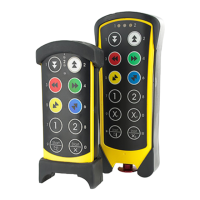
Tele Radio 860TX-10
34 pages
Print Icon
To Next Page IconTo Next Page
Loading...
1
Tele Radio 860
Manual
Rev. IM-860-010-A2

Questions and Answers

  • C
    Colleen BoydAug 7, 2025
    Why Tele Radio 860TX-10 Transmitter range is too short?
    • F
      fbauerAug 7, 2025
      If the range of your Tele Radio transmitter is too short, it might be due to damaged or incorrectly installed antenna cables or the antenna itself. Try changing the position of the antenna or replacing the antenna cable.
  • J
    Jackie TurnerAug 11, 2025
    What to do if Tele Radio 860TX-10 does not work and red light is on?
    • D
      Dylan RogersAug 11, 2025
      If your Tele Radio transmitter isn't working, and the LED shows a red light after pressing the start buttons, the battery might be discharged, so try charging the transmitter. Alternatively, a button on the transmitter could be broken, in that case you should contact your dealer.
  • M
    Mark LangAug 17, 2025
    What to do if Tele Radio 860TX-10 Transmitter red LED 3 flashes?
    • D
      David CampbellAug 17, 2025
      If, when starting the Tele Radio transmitter, the red LED 3 flashes when you press the start buttons simultaneously, it means that the stop button is pressed in. Pull out the stop button.
  • A
    audreyquinnAug 22, 2025
    What to do if Tele Radio 860TX-10 red and yellow LEDs flash?
    • J
      Jill GordonAug 22, 2025
      If the red LED and the yellow LED 1 flash when you press the start buttons simultaneously on your Tele Radio transmitter, the processor has detected a fault with the stop button. Push in the stop button without releasing the start buttons. If the stop button is intact LED 2 should start to flash. Pull out the stop button and release the start buttons. If the transmitter does not start after this instruction the stop button needs to be replaced. Contact your dealer.
  • B
    Bailey HayesAug 27, 2025
    What to do if receiver yellow LED is not lit on Tele Radio?
    • R
      Rebecca HoodAug 27, 2025
      If the yellow LED on your Tele Radio receiver, which indicates correct supply voltage, isn't lit, it could be due to: * Incorrect operating voltage. Check the operating voltage. * A blown fuse. Replace the fuse.
  • J
    Jorge VasquezAug 31, 2025
    Why receiver yellow LEDs do not flash on Tele Radio?
    • S
      staceybarnettSep 1, 2025
      If the yellow LEDs on your Tele Radio receiver, which indicate the number of programmed transmitters, do not flash, it means that a transmitter has not been programmed on the receiver. Program the required transmitter.

Summary

System Functions Overview

PIN Code Security

Covers programming up to 10 individual PIN codes per transmitter for security.

Function Selection Programming

Describes programming different combinations of relay functions for system control.

Relay Function Modes (Momentary;Latched)

Explains how each relay function can be set for momentary or latched operations.

Interlocking Operations

Describes interlocking relay functions to prioritize or block operations.

Transmitter Operations

Starting the Transmitter

Provides step-by-step instructions on how to start the transmitter.

Charging the Transmitter

Details the process and indicators for charging the transmitter's battery.

Receiver 860 RX Details

Technical Specifications

Lists technical specifications for the 860RX receiver.

Receiver Connection and Antenna Installation

Receiver Installation Guidelines

Instructions for installing the receiver, protecting it from elements.

Antenna Placement Recommendations

Guidance on optimal placement of the receiver antenna for best performance.

Transmitter and Receiver Co-Programming

Erasing Programmed Transmitters

Procedure for erasing all previously programmed transmitters from the receiver.

Replacing a Transmitter

Method for replacing an existing transmitter with a new one without receiver reconfiguration.

Receiver Lock and Unlock Procedures

Unlocking the Receiver

Steps required to unlock the receiver to allow other transmitters to connect.

Frequency Channel Selection (69 Channels)

Changing Frequency (16+16 Channels)

Automatic Shut-off Configuration

PIN Code Management

Programming a PIN Code

Detailed steps for programming a 4-digit PIN code onto the transmitter.

Changing or Erasing PIN Codes

Instructions for modifying an existing PIN or erasing all PIN codes.

Function Selector Configuration

Transmitter Function Selections and LEDs

Receiver Function Selections and Relay Logic

Momentary vs. Latched Relay Functions

Programming Latched Relay Function

Steps to program latched/toggling relay behavior instead of momentary.

Interlock Configuration

Stop Function Selector Modes

Troubleshooting Common Issues

Incorrect Function Causes and Actions

Lists common incorrect functions, their possible causes, and corrective actions.

Tele Radio 860TX-10 Specifications

General IconGeneral
Number of buttons10
HousingPlastic
Protection classIP65
Operating temperature-20°C to +55°C
Operating Voltage3V
Power sourceBattery

Related product manuals