Programming a transmitter to 2 channel
One button to Open & One button to Close
Please note: you have 8 seconds to do this step, if you get a series of beeps you will
need to start the transmitter programming again.
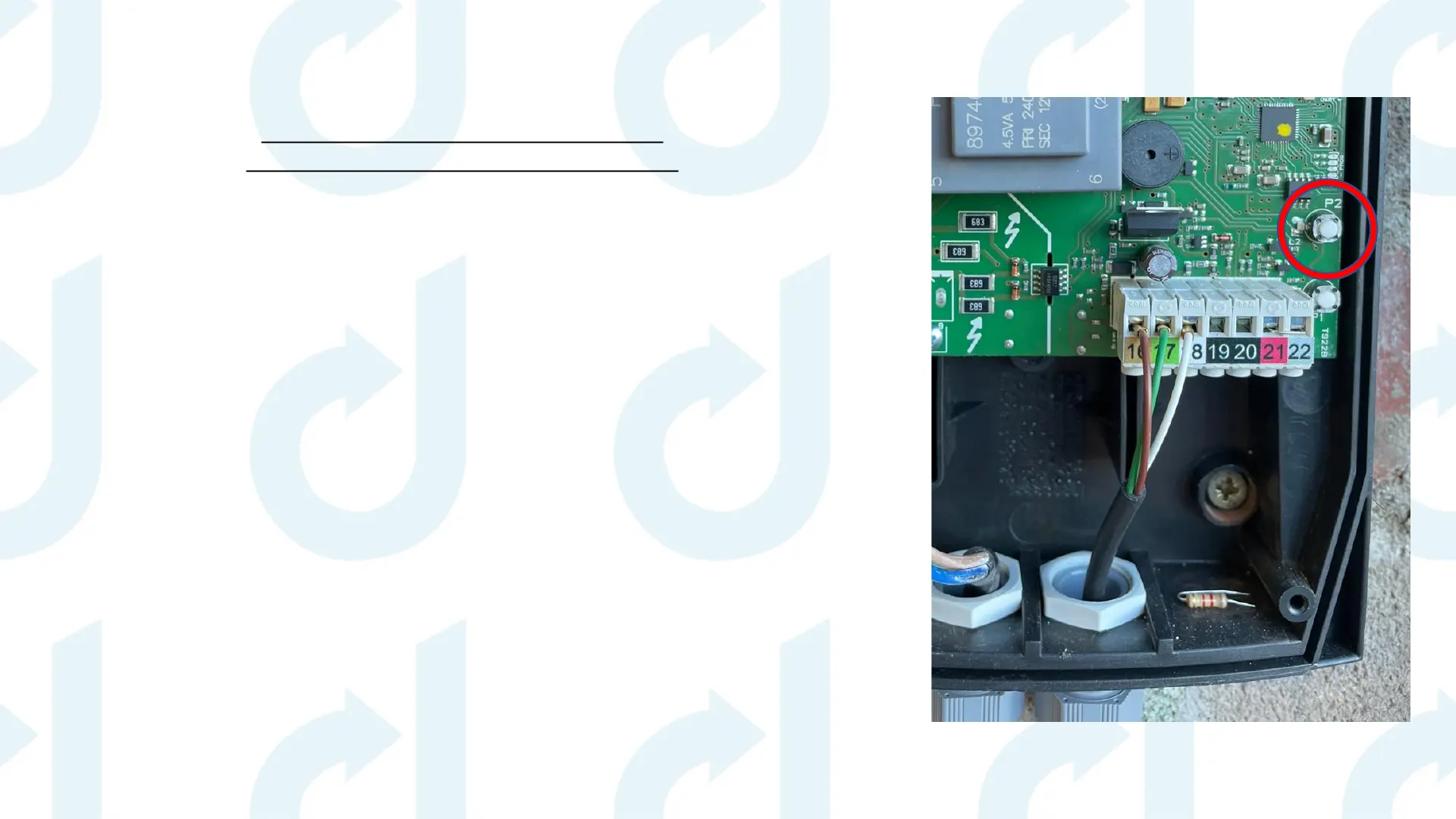
1. Press P1 & P2 together & hold for a few seconds until L1 & L2 lights flash rapidly – you will
hear a long beep.
2. Release both buttons then a quick press & release P2 & then press & hold P2 (circled) & at
the same time press the top button on your transmitter.
3. The long beep will change to a rapid beep – this means the button is now programmed.
4. Release both buttons & test your transmitter.
5. Please repeat this process for all transmitters.
Please ensure you follow each step before moving onto the next page


 To Next Page