Deleting all transmitters from the control
panel
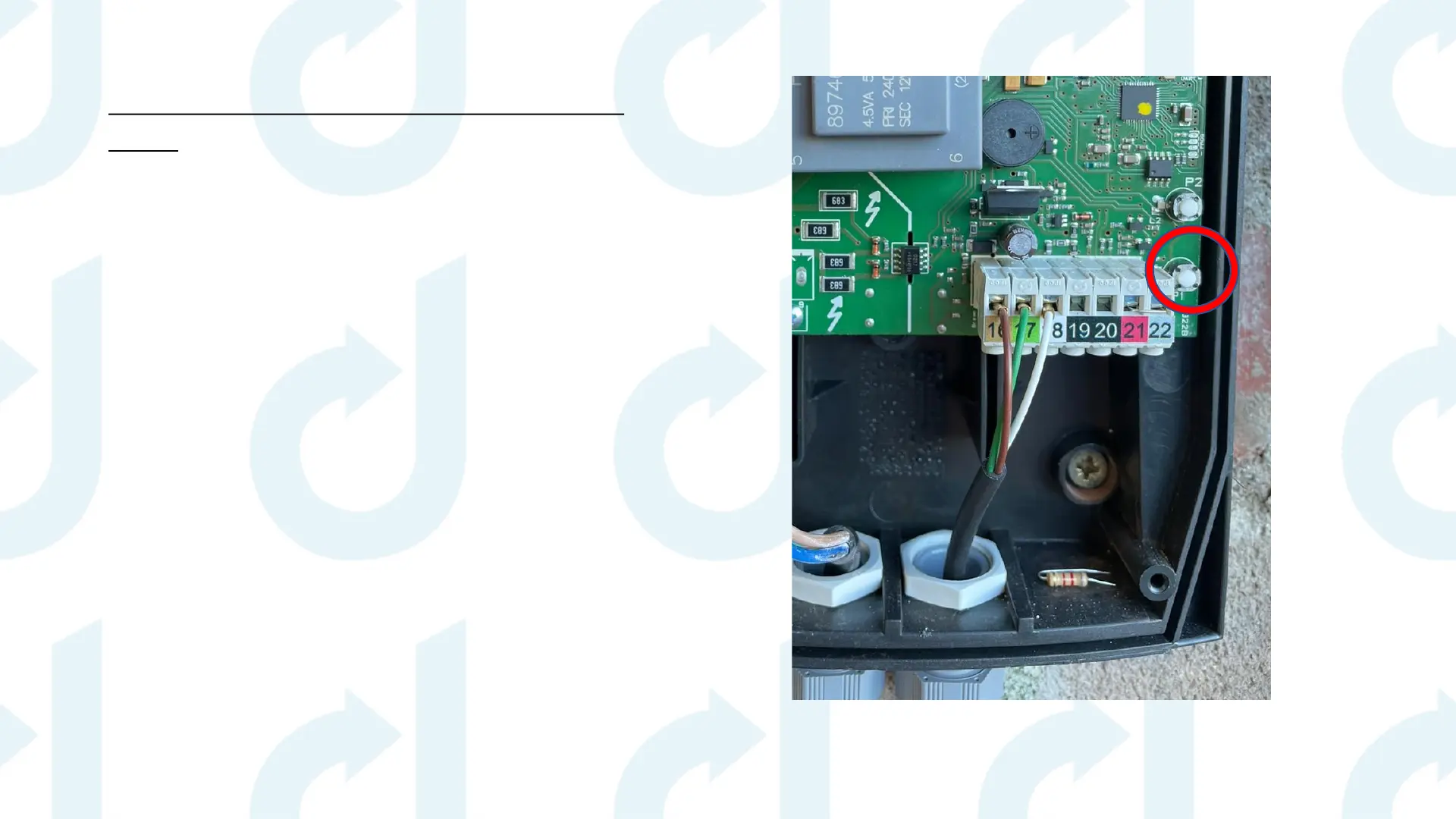
1. Switch the panel off & back on again – within
5 seconds press P1 & P2 together 3 times.
2. Press the white P1 button (circled) in the
control panel 5 times and hold on the 5th
press – you will hear rapid beeps from the
control panel.
3. Keep hold of the P1 button until you hear a
long beep – this will take approx. 10 seconds.
4. When you hear the long beep take your
finger off the button and test to make sure
everything is deleted.
Please ensure you follow each step before moving onto the next page


 To Next Page