pg. 1
Introduction
WiFi Power bank is a multi-function device: WIFI router & power bank. It support 3G/4G
internet, WIFI, support 5 users connecting simultaneously.
Any terminal device, with WIFI function, can get internet through WiFi Power bank.
Function 1: Wireless WiFi Router
1. Press the button located on the side of the device for 3 seconds to turn on the device
2. Wait until the three signal LEDs become solid.
3. And then the terminal devices, such as PC, mobile phone, and tablet pc and so on,
connect to the WiFi Power Bank via Wi-Fi. One WiFi Power bank device can support 5
terminal devices maximum.
Function 2: Power Bank
WiFi Power Bank device is built in 5000mAh Lithium polymer battery, which can be used
as power bank, charging most of phone, MP3 , Tablet PC models and so on .
Connect WiFi Power Bank device and the mobile phone by the charging cable, and then
press the charging power button to turn on the power bank function, and then WiFi
Power Bank just begin to charge the mobile phone.
To stop the charging, just remove the cable from the smart-phone.
PS:
(1) Please do not input charges WiFi Power Bank when it is output charging other mobile
device, otherwise, the battery life will be shorten.
(2) Please do not input charge WiFi Power Bank when it is output charging other mobile
device , otherwise ,the battery life will be shorten
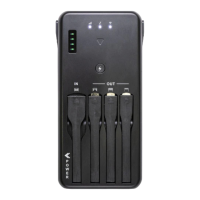
Ports and Indicators:


 To Next Page