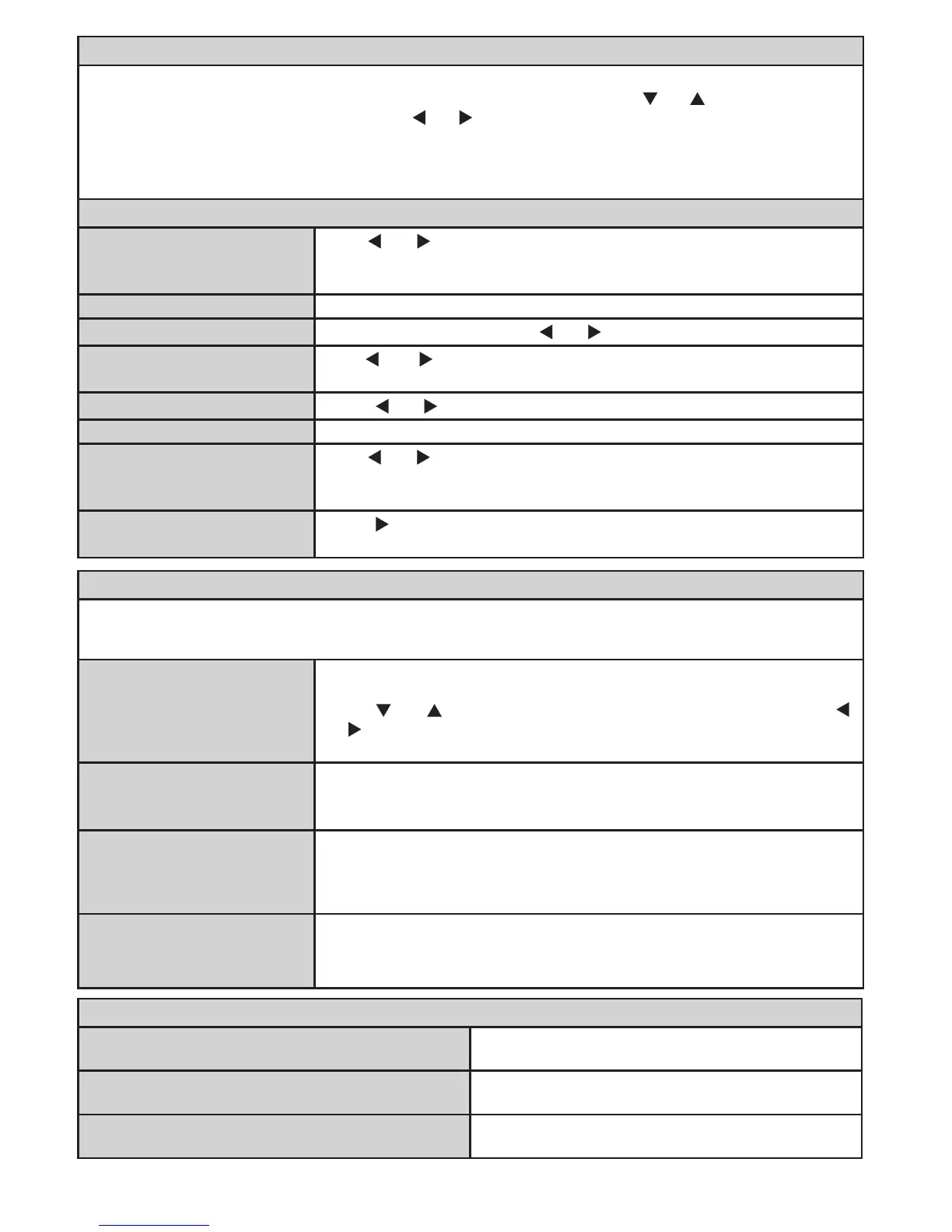
Once you have connected optional equipment systems to your TV, you should select the required input to
view pictures from that source. In source menu, highlight a source by pressing “ ” or “ ” button and switch to
that mode by pressing “OK” button. With the “ ” or “ ” buttons you can set Off or On. When Off is selected;
this source does not appear in the OSD when you press the “SOURCE” button of the remote control.
Note: YPbPr mode can be used only when you connect a device that has a YPbPr output through the PC-
VGA input with YPbPr to PC cable (YPbPr cable is not supplied).
Use “ ” or “ ” button to select the program number. You can also enter
a number using the numeric buttons on the remote control. There are 200
programme storage between 0 and 199.
Band can be selected either C or S
Channel can be changed by “ ” or “ ” button or numeric buttons.
Use “ ” or “ ” button to change the colour system to AUTO, PAL or
SECAM.
Press “ ” or “ ” button to change the sound system to BG,DK, I, L or L’.
You can use this setting for ne tuning channels.
Use “ ” or “ ” button to start programme searching. You can also enter
the desired frequency using the numeric buttons while Search item is
highlighted.
Press “ ” or OK button to store the settings. “Stored...” will be displayed
on the screen.
Using the program table and by moving the cursor in four directions you can reach 20 programmes in the
same page. You can scroll the pages up or down by pressing the navigation buttons to see all the programmes
in TV mode (except for the AV modes). By cursor action, programme selection is done automatically.
To change the name of a programme, select the programme and press
the RED button. The rst letter of the selected name will be highlighted.
Press “ ” or “ ” button or numeric buttons to change that letter and “ ”
or “ ” button to select the other letters. By pressing the RED button, you
can store the name.
To delete a programme, press the YELLOW button. Pressing the YELLOW
button again erases the selected programme from the programme list, and
the following programmes shift one line up.
Select the programme which you want to move by using the navigation
buttons. Press the GREEN button. By using the navigation buttons move
the selected programme to the decided programme space and press the
GREEN button again.
Deletes all stored channels and settings, resets TV to factory settings and
starts rst time installation. See the First Time Installation section for more
information on this process.
Autoposition (in PC mode)
Automatically optimizes the display. Press OK to
optimize.
This item shifts the image horizontally to right hand
side or left hand side of the screen.
This item shifts the image vertically towards the top
or bottom of the screen.






 To Next Page