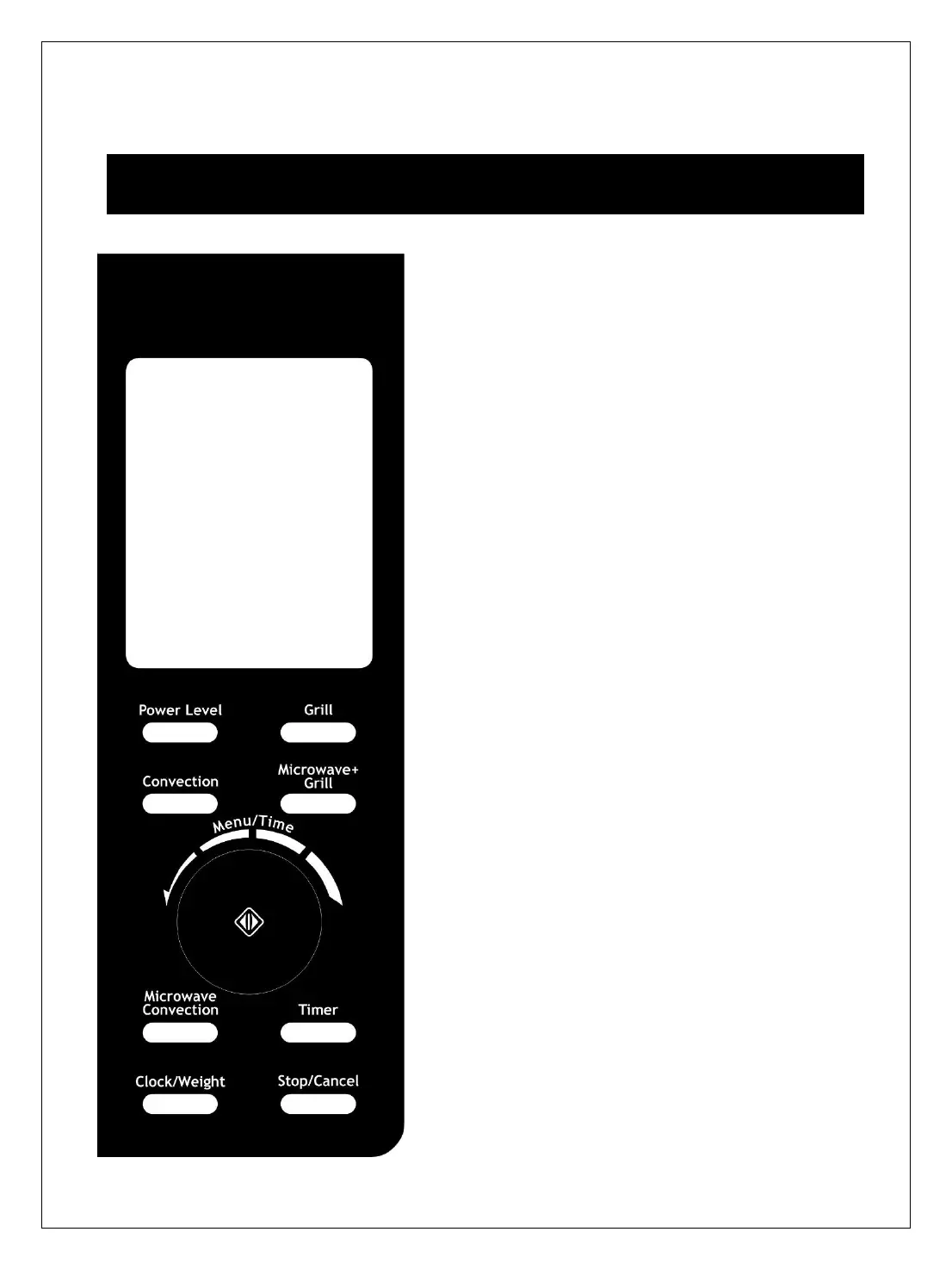
DISPLAY SCREEN
Cooking time, power, indicators and present time are
displayed.
POWER LEVEL
Press to select microwave power level.
GRILL
Press to set a grill cooking program.
CONVECTION
Press to program convection temperature.
MICROWAVE+GRILL
Press to select one of two combination cooking settings.
MICROWAVE CONVECTION
Press to select one of four combination cooking settings.
TIMER
Used to set the oven timer.
CLOCK/WEIGHT
Press to select the amount of food; press to set clock
time.
STOP/CANCEL
Touch to stop cooking program or clear all previous
settings before cooking starts.
MENU/TIME
Rotate to set cooking time or select Auto Cook menu
including Auto Defrost.
Press to start cooking program or set quick start cooking
program.


 To Next Page