Need help?
Do you have a question about the Telefunken TF-1570 and is the answer not in the manual?
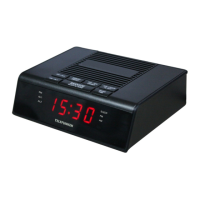
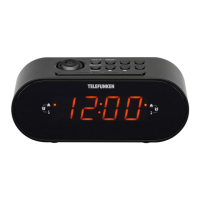
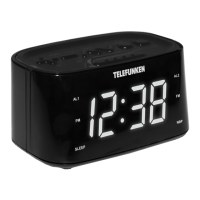
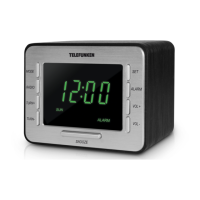
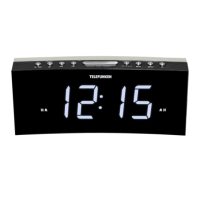
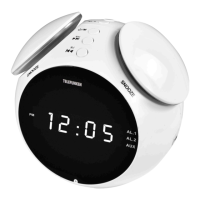
The TELEFUNKEN TF-1570 is a radio with alarm clock, designed for household use. It combines the functionality of a radio and an alarm clock in a compact and stylish white casing with a black display.
The device primarily functions as a digital alarm clock with an integrated radio. It features a large, clear LED display that shows the current time in a 12-hour format (PM indicator present). The alarm function allows users to set up to two independent alarms (AL.1 and AL.2). These alarms can be configured to sound a buzzer or play the radio. A snooze function is also included, allowing for a temporary delay of the alarm.
The radio component supports both FM frequencies (64-108 MHz). It offers manual and automatic tuning options, as well as the ability to store favorite radio stations for quick access. The device includes an AUX input, allowing it to be connected to external audio sources, effectively functioning as an external speaker.
To set the time, press and hold the TIME/SCAN button until the time starts to flash. Use the V+/TUNER+ button to increase the hour and the V-/TUNER- button to increase the minutes. Press TIME/SCAN again to confirm. The time display can be switched between 12 and 24-hour format by double-pressing the TIME button.
When the unit is in standby mode (radio is off), press and hold either AL.1 or AL.2 buttons. The alarm LED will start to flash. Use the V+/V- buttons to select between buzzer and radio alarm signals. Press AL.1/AL.2 to confirm, or TIME/SCAN to select a different radio station. Press AL.1/AL.2 to confirm. To adjust the alarm time, use the V+/V- buttons. Once the alarm is set, press the AL.1 or AL.2 button respectively to confirm the setting.
When the alarm sounds, pressing the SNOOZE button will temporarily silence it for 9 minutes. The alarm will sound again after the snooze period. To stop the alarm completely, press the ⏻ button. The alarm will resume in 24 hours.
To turn the radio on or off, press the ⏻ button. To manually tune to a radio station, use the V- or V+ buttons. To automatically scan and store available radio stations, press and hold the TIME/SCAN button. This button also allows switching among the saved radio stations. To adjust the volume level, press and hold the V-/V+ buttons.
In Radio mode, press the SNOOZE button to turn on the sleep mode. The default sleep time will appear on the display. Press this button repeatedly to select the sleep time period (5-120 minutes) or to switch it off. The radio will turn off automatically after the sleep time period elapses.
The device features an AUX input, allowing users to connect external audio devices (e.g., smartphones, MP3 players) using a standard 3.5mm audio cable. This enables the device to function as an external speaker for these devices.
In standby mode (radio is off), press and hold the SNOOZE button. The display will light up. It will change from dark to bright and then back from bright to dark.
The device requires 2 AAA (UM-4) batteries (not included) to be inserted into the battery compartment. These batteries serve as a backup for the clock and alarm settings in case of a power outage. The clock display will not light up during battery operation, but the time and alarm settings will be held in memory. This ensures that the clock does not reset when power is lost. When the batteries are exhausted, they should be removed to prevent leakage. If the device is not used for an extended period, remove the batteries.
To clean the unit, unplug from the power supply. The outside of the appliance can be cleaned with a slightly damp cloth. Do not use abrasive cleaners or solvents.
When the batteries are exhausted, they should be removed from the set to prevent leakage. If you do not wish to take advantage of the battery back-up system, your set will work normally without batteries. However, if disconnected from the mains, the clock figures will flash when the mains are reconnected and you must re-set the clock.
The device should not be disposed of with general household waste. It must be handed over to an appropriate collection point for the recycling of electrical and electronic equipment. This ensures proper disposal and prevents potential harm to the environment and human health.
 General
| Brand | Telefunken |
|---|---|
| Model | TF-1570 |
| Category | Radio |
| Language | English |

 To Next Page