7
12. Mute button
24. Picture Mode button
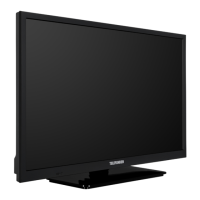
1. Press the power switch, the power indicator will be on, and after several seconds, the tv
set will begin normal operation.
2. Press the
button on the remote controller, the television will be in standby mode and
The power indicator will be on but the screen off. In this mode, press the
button on
the remote control or the direct program number buttons (0-9). (You can also turn it on
by pressing the “P+” button)
Note: To ensure normal operation at all times, never turn the television on and off
frequently. Wait for at least 5 seconds before turning it on again.
3. Selecting the “
” button on the remote control will place the Internet section of the
Television in standby mode; press the “
” button again to turn it on again.
4. If you want to completely turn off the power supply, please press the main power switch
on the TV set.
Note: Do not leave the television in standby mode for a long time. Please turn off the
power switch if the TV set will not be used for long time.
Operating Instructions
Turn the power supply ON/OFF





 To Next Page