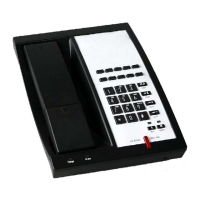
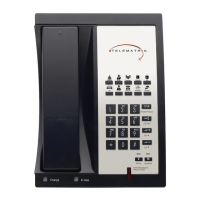
2. Handset Keys for
3300Series
2.1 Function Table of Keystrokes
Name Status Function/Display
Hold Call Hold on
MWI On-Hook Press flashing
light to retrieve
messages
Mute Press Mute voice path
Redial Call/
Dialing
Call the number
dialed last time
Spkr Speaker
Volume + Call Increase the volume
Volume – Call Decrease the
volume
M1–M7 On-Hook 7 speed dial
numbers
1 Dialing “1”
2 Dialing “2”
3 Dialing “3”
4 Dialing “4”
5 Dialing “5”
6 Dialing “6”
7 Dialing “7”
8 Dialing “8”
9 Dialing “9”
0 Dialing “0”
* Dialing “*”
# Dialing It can be regarded
as the first number
being dialed out or
the end mark for
ending number
2.1.1 MWIMESSAGE WAITING
INDICATION
The Messages key serves as an indicator that
messages are present as well as a speed dial
key to dial in and retrieve those messages. If
messages are present, press the flashing red MWI
key labeled Messages to go off-hook and dial the
programmed voicemail number. First, program
the speed dial to the correct voice mail port of
your PBX in the Web UI (found under Advanced ->
Memory Key -> MWI Number).
2.1.2 CALL VOLUME CONTROL
Press “Volume +” to increase the volume and
“Volume –“ to decrease the volume.
2.1.3 HOLD FUNCTION
Hold the current line’s call.
2.1.4 REDIAL FUNCTION
Redial the last number dialed.
2.1.5 SPEED DIAL KEYS
The 3300 Series phone has 7 speed dial keys
programmable through the Web UI under
Advanced -> Memory Key.
3300 SERIES VoIP USER GUIDE www.telematrix.net 7


 To Next Page