6 HouseControl E+ Installation Manual
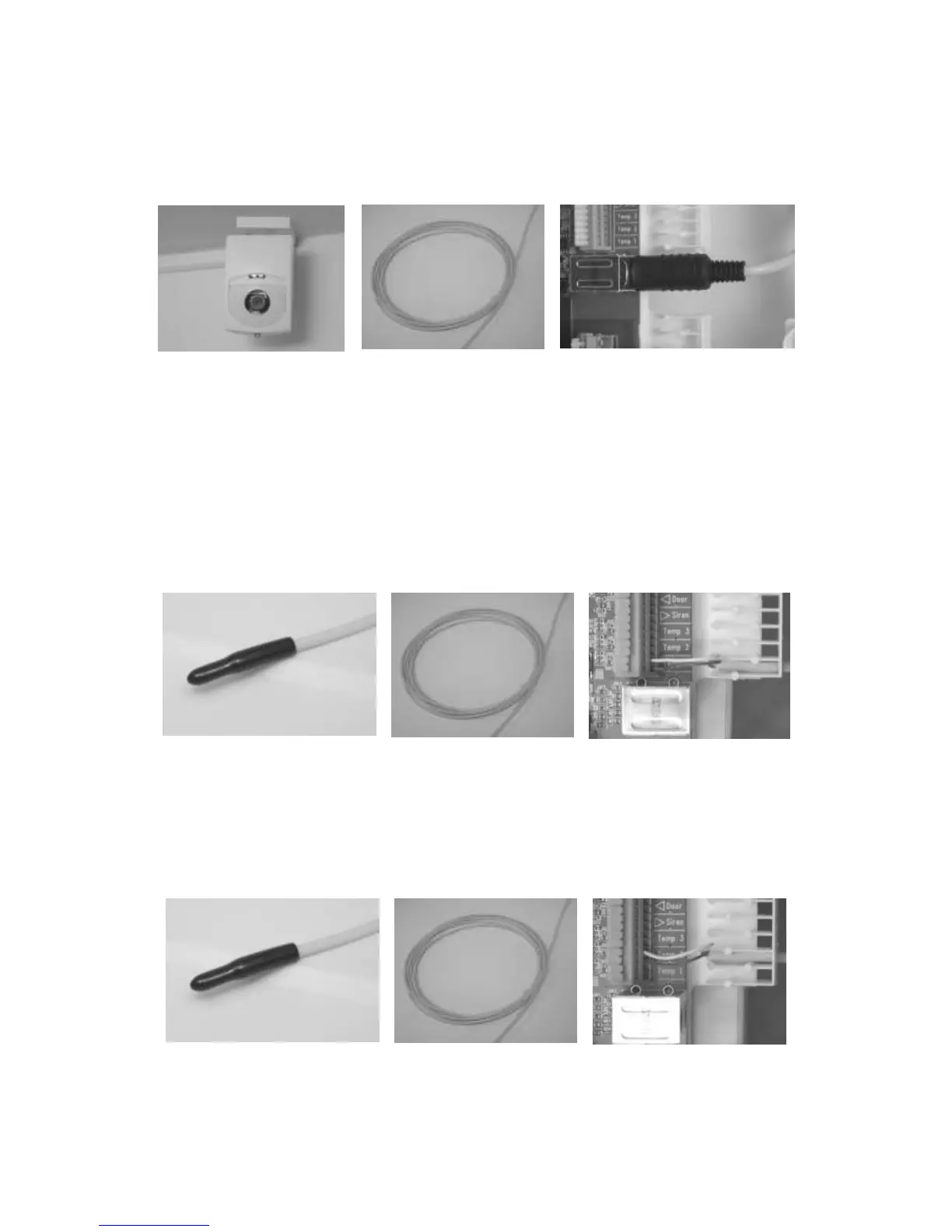
3.5 Remote Camera
You can connect Telemic Oy’s remote camera to your HCE+.
When choosing a location for the remote camera it is important to respect privacy and know the law in
your country. HouseControl can take a picture automatically when motion sensor detects movement.
Mount the camera. Remove the
lens cover.
Coil the surplus length of the
cable and hide it.
Connect the remote camera to the
central unit as depicted in the separate
wiring diagram (lower miniDin
connector).
You can adjust the direction of the camera by loosening the screw at the bottom.
3.6 Indoor Temperature Sensor
Place the indoor temperature sensor in the living area in an unnoticeable place. Run the cable behind a
baseboard to the HCE+.
Note: Do not leave sensors uninstalled. Shorten cables as needed and install temp1 and temp2
sensors inside HCE+ so that there will be no unnecessary temperature alarms.
Place the temperature sensor in the
area where you want to measure
temperature.
Hide the surplus of the cable.
Connect the temperature sensor
to the Temp1 connector as
depicted in the separate wiring
diagram.
3.7 Outdoor Temperature Sensor
Remember not to place the temperature sensor in direct sunlight.
Put the temperature sensor outside. Hide the surplus of the cable.
Connect the temperature sensor
to the Temp2 connector as
depicted in the separate wiring
diagram.



 To Next Page