TMP4500E/TMC600 Marking System
78811A 5 of 9
TMC600 Controller (continued)
Environmental Considerations
The following environmental considerations must be taken into
account when installing the TMC600 Controller.
Contaminants. The vented TMC600 is rated NEMA 1 (IP30)
and contains a thermostatically-controlled, variable speed fan. It
also incorporates a 60 ppi filter which will filter most common
contaminants. However, in certain environments, the possibility
exists that contaminants can be drawn into the TMC600
controller and possibly result in failure. For that reason, in these
types of environments, the controller must
be located in a sealed
industrial enclosure.
EMI Susceptibility. Although the system has been found to be
in compliance with pertinent susceptibility standards, care
should be taken when installing near welders and other extreme
generators of electromagnetic interference (EMI). Particular care
should be taken to ensure welder currents are not injected
through the marking head chassis. The marking head chassis is
connected to the electrical service earth ground through the
marking head cable. The marking head should be electrically
isolated from all surfaces which could become part of a welder
current path.
System Software
The powerful Telesis MerlinTouch PS software is a Windows
®
based software package that comes installed in the TMC600
controller. It is a graphical user interface that makes pattern
marking and pattern design quick and easy.
The WYSIWYG (what-you-see-is-what-you-get) interface
provides a to-scale image of the pattern as it is created. The
MerlinTouch PS software includes tools to create and edit a
library of pattern files for marking. Each pattern contains one or
more fields; each field defines a single object. Printable objects
may be created to define text strings, arc-text strings, geometric
shapes, graphics, and machine-readable data matrix symbols.
Note that for design purposes, Telesis recommends using a
mouse for more precise use of the visual editing capabilities via
the Drag/Drop option.
Printable text fields may include alphanumeric characters,
symbols, and special message flags. Message flags
automatically insert data into the text string, such as serial
numbers, times, dates and user-defined codes. Multiple fields
may be grouped and saved as a block to form a logo. Existing
DXF files can also be imported for marking. Non-printable
fields can be created to clearly display a graphical representation
of the part being marked. Commands may be defined to perform
specific tasks during the marking cycle (e.g., Pause, Go to,
Input, or Output).
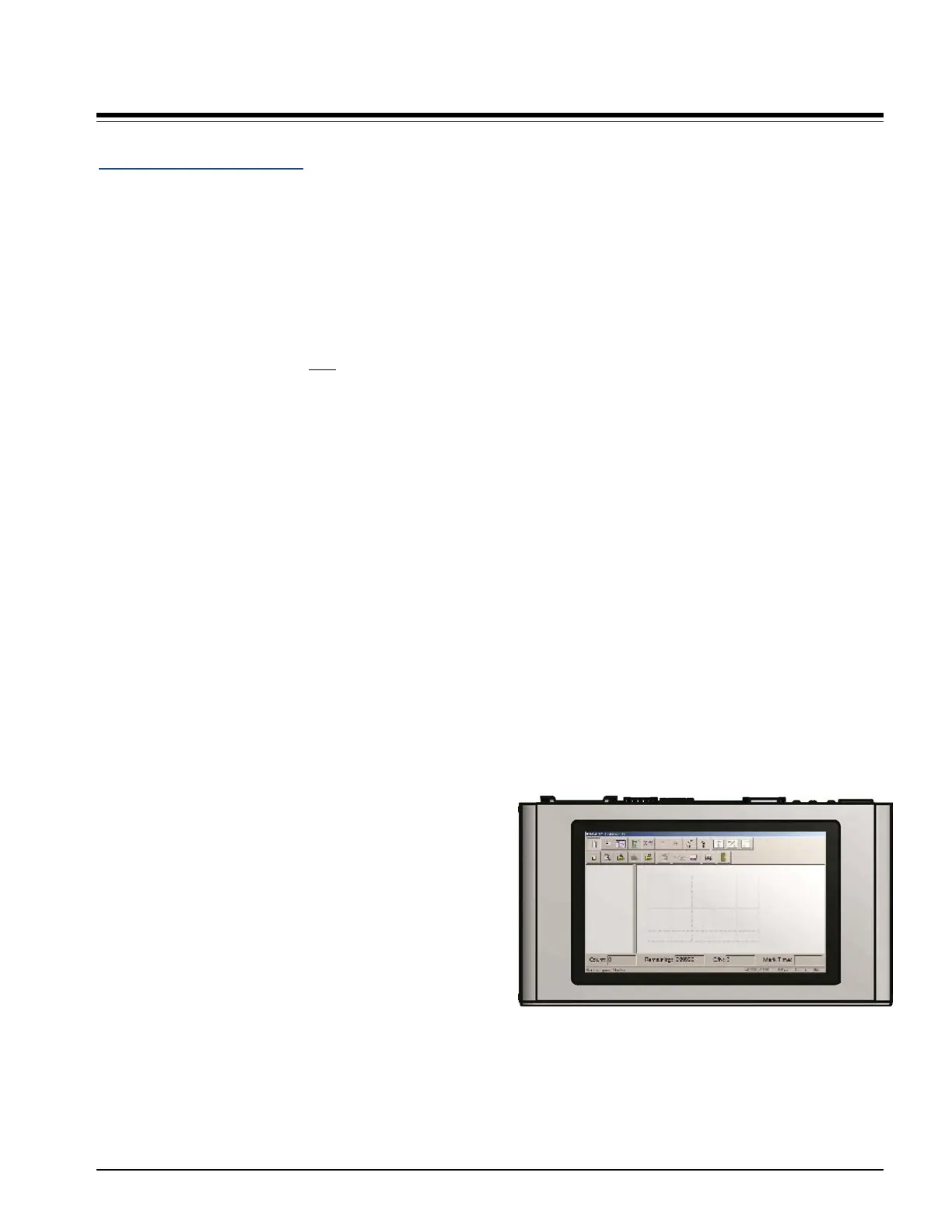
Touch Screen User Interface
The top panel of the controller contains an integrated, 10-in.,
high resolution, touch screen monitor. The monitor displays the
MerlinTouch PS software and provides the user interface for
operating the marking system.
TMC600 Controller with Touch Screen Monitor
and MerlinTouch PS Software



 To Next Page