User Manual AC6901
59300528 Rev.013
29.10.2014 12(16)
Pairing AC6901 in Android 4.x
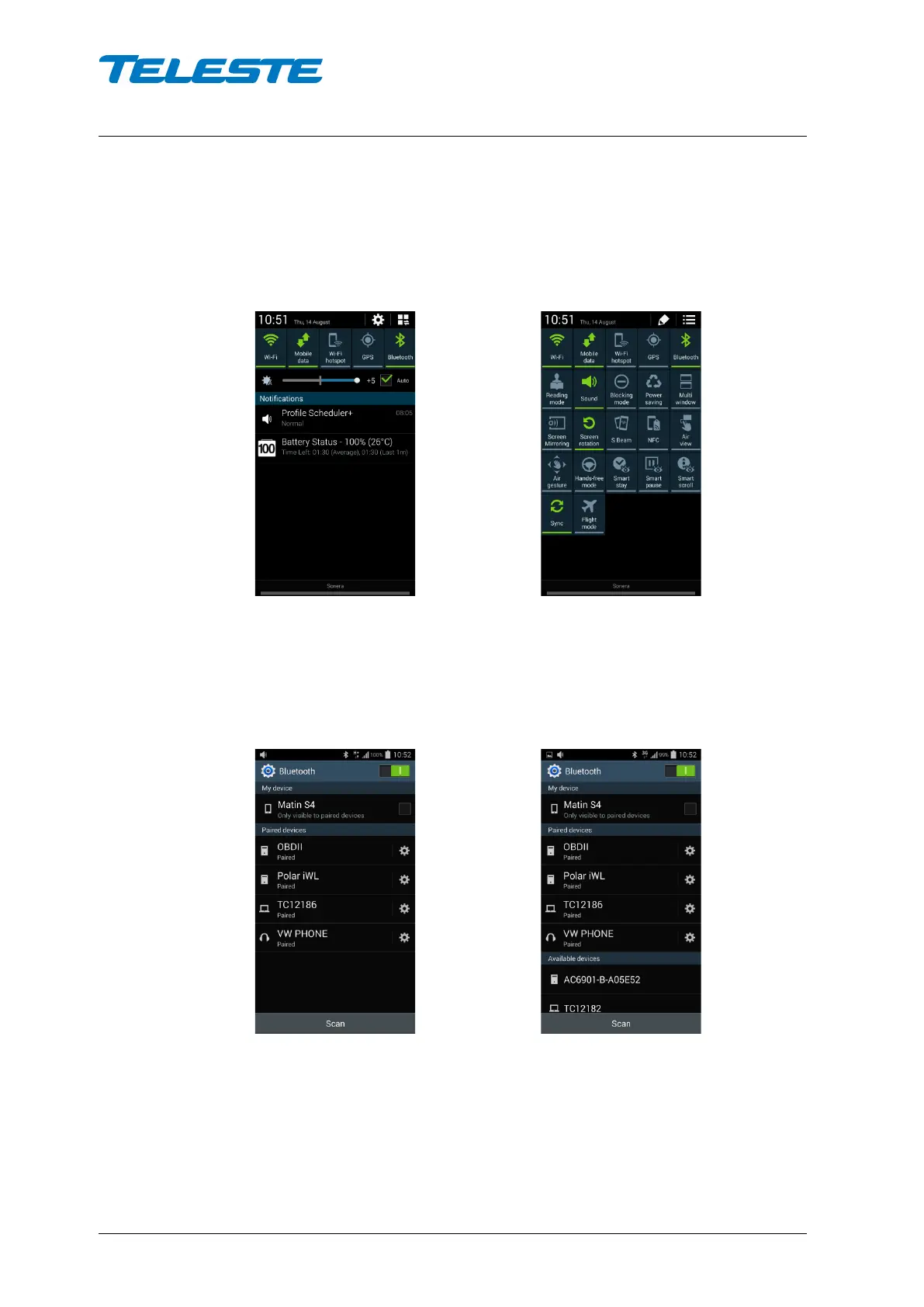
Open Android control panel by swiping down from the top of the display. If your
control panel does not contain the Bluetooth button, swipe the display with two
fingers to show full control panel.
Normal control panel Full control panel
To display Bluetooth devices, press the Bluetooth virtual button more than ~
half a second. To search for new Bluetooth devices, click ’Scan’. After a while,
AC6901 should appear on the list.
Before scan After scan
Click the device to pair it. A Bluetooth pairing request panel will appear. Type in
the PIN code ’6901’ and click ‘OK’.


 To Next Page