User Manual AC6901
59300528 Rev.013
29.10.2014 15(16)
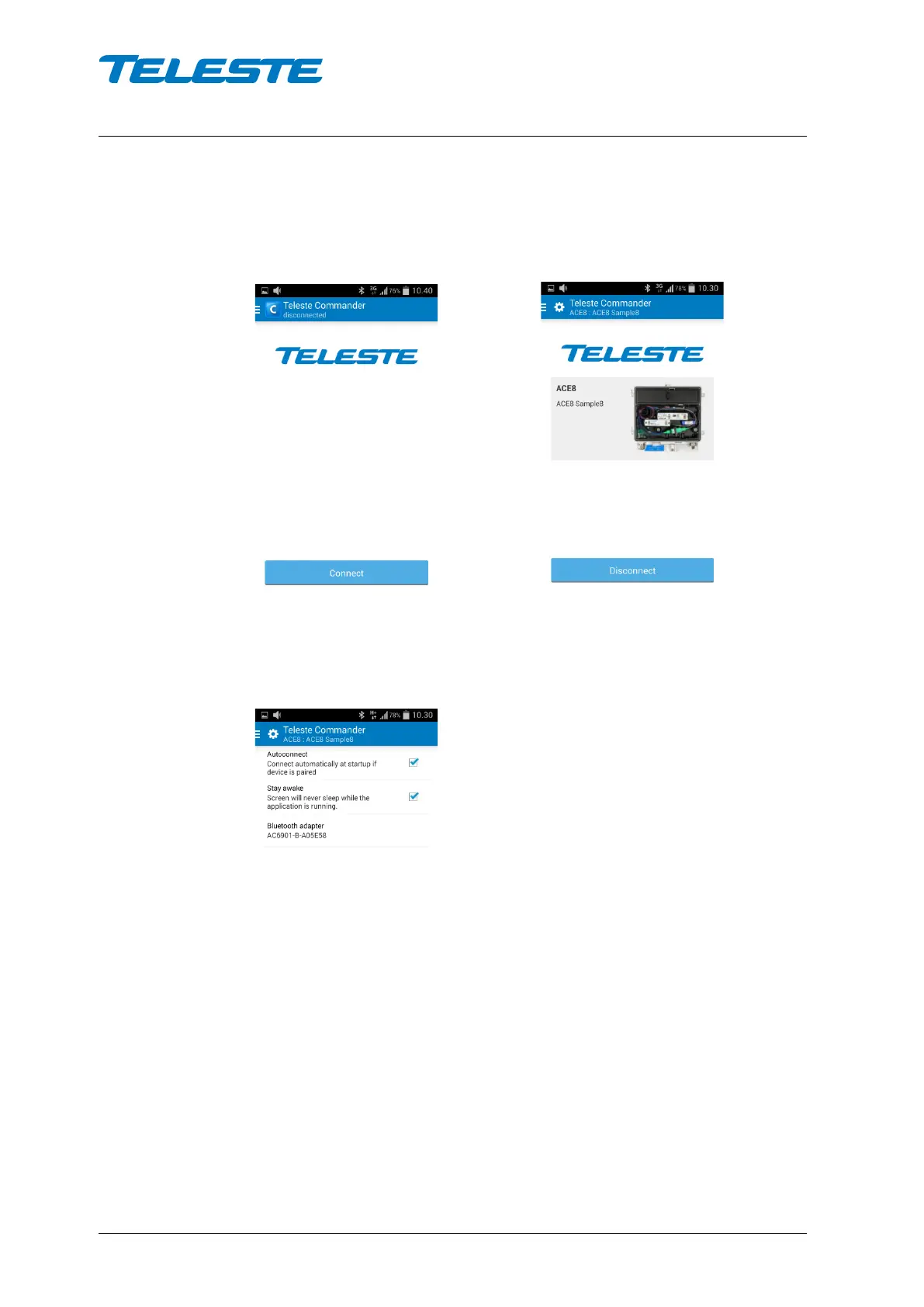
After you have selected the adapter, simply click ‘Connect’ in Commander main
menu and the connection will be established. To disconnect, simply click
‘Disconnect’.
Disconnected Connected
If you want Commander to connect to the device when it starts, open the
‘Settings’ menu and enable the ‘Autoconnect’ setting. You may also want to
keep the screen on when Commander is running by enabling the ‘Stay awake’
setting.


 To Next Page