Need help?
Do you have a question about the TELETRAC NAVMAN iFace and is the answer not in the manual?
Push button to remove iFace from cradle. Device can be secured to the cradle with m3 screws.
Check Bluetooth pairing and reboot iFace if one symbol appears. Bluetooth symbols may differ.
Drivers must be set up in NextGen first. Contact manager for account creation.
Ensure charger connection, check battery icon. Try AC charger if needed. Notify manager.
iFace auto-shuts down when ignition is off to conserve battery. Reboot if necessary.
Declare load/unload, or vehicle configuration changes. Enter type, axles, and total mass.
Add new driver by tapping 'New Driver', entering license, and selecting state.
Tap 'Driver Logon', find name, enter license digits, and confirm.
Select 'Work/Rest' and the correct button for the fatigue event to record.
Select checklist, answer all questions, and press 'Submit'.
Select 'Mass Manager', enter weight, and press 'Send'. Scroll for long vehicles.
Tap document to open. Zoom and move freely. Documents managed via NextGen.
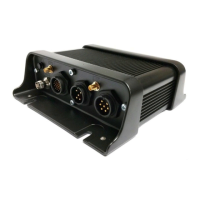
The Teletrac Navman iFace is a robust in-vehicle device designed to streamline various operational tasks for drivers, including fatigue management, mass declarations, pre-trip checklists, and document access. It serves as a central hub for compliance and communication within a commercial vehicle.
The iFace integrates several key functions to support drivers and fleet operations:
 General
| Brand | TELETRAC NAVMAN |
|---|---|
| Model | iFace |
| Category | GPS |
| Language | English |


 To Next Page