© 2011 TeleType Co.
57
Getting Started
2.11 Finding a My Point
If you have created a My Point (Section 3.1), you
can find it in the Find Wizard Menu.
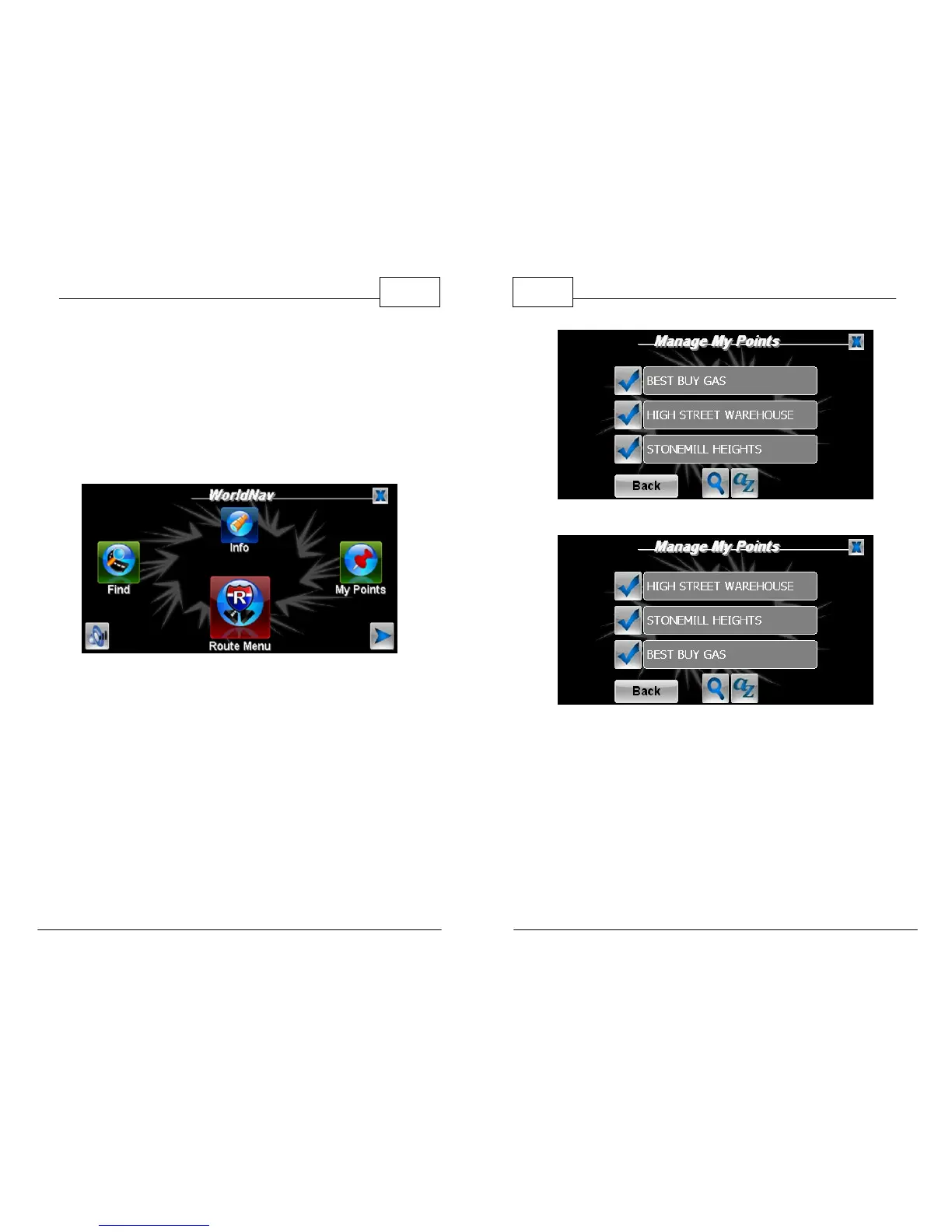
1. Press <Menu> then <My Points>.
Find Wizard Menu
2. Tap on <Manage>. You are brought to the
Manage My Points Menu. Here you can
arrange your My Points Alphabetically or By
Latest Added. Press the <AZ> button and
select either <Alphabetically> or <By Latest
Added>. You can also manually search your My
Points by pressing the magnifying glass icon.
Press the corresponding check mark to
proceed.
WorldNav Navigation Software
58
© 2011 TeleType Co.
My Points Arranged Alphabetically
My Points Arranged By Latest Added
3. Press the right and left arrow icons to choose
to either <Show>, <Route To>, <Edit>,
<Route Via> or <Delete> your My Point. Press
<OK>.



 To Next Page