8
Description of equipment
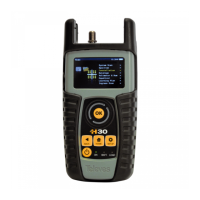
components
Connectors and controls
1. External power connector (12VDC).
2. LCD display.
3. Keyboard and LED indicators
4. RF F-connector (see options below).
5. Reset.
6. Ethernet connector.
7. DOCSIS connector (refs. 593103 and 593104).
Keyboard
1. Device On/O button: To turn the
equipment o, press and hold for
approximately 3 seconds.
2. Back button: Return to the previous
menu or close a parameter entry window.
3. Home button: Return to the main menu.
4. Rotating selector: Used to scroll through
options.
5. OK Button: To conrm selection.
6. Setup button: Parameter window for the
current function.
7. LED Load: Indicates if the equipment is
powering an external load.
8. LED Charging Battery: Indicates if the battery
is charging.
9. LED Power ON: Illuminated when the
equipment is on.
F-connector options
* Ref. 593103
*
*


 To Next Page
 Loading...