The Televic Lingua Transmitter is a device designed for conference applications, specifically for managing and distributing audio channels, likely for interpretation or multi-language events. The provided quick start guide outlines the essential steps for setting up, updating, and configuring the device, focusing on software updates, channel configuration, and delay line compensation for radiators.
Function Description:
The Lingua Transmitter serves as a central unit for managing audio signals in a conference environment. Its primary functions include:
- System Updates: The device supports software updates to ensure it runs the latest firmware, which is crucial for optimal performance and access to new features. Updates are performed by uploading a
.tuf file via a web interface.
- Audio Channel Management: It allows for the configuration of multiple audio channels, enabling users to assign language codes (e.g., ISO-639-1 codes for Aladdin receivers) and select audio sources. This is particularly important for multi-language interpretation systems. The device supports Dante™ inputs, indicating integration with Dante audio networking.
- Radiator Delay Line Compensation: The Lingua Transmitter provides functionality to compensate for signal delays in infrared radiator systems. This ensures synchronized audio delivery across different radiators, which is vital for large venues where radiators are placed at varying distances from the central unit. This compensation is managed through a
.tdc configuration file.
- License Management: For systems requiring more than six audio channels, the device supports license upgrades. This involves obtaining the device's MAC address, contacting Televic Conference for a license file, and then uploading the XML license file to the device.
Important Technical Specifications:
While the manual does not explicitly list all technical specifications, several key details can be inferred:
- Connectivity: The device features multiple "Radiator Out" ports (at least four are shown in the diagram), suggesting it can connect to and manage several branches of infrared radiators. It also has Ethernet ports for network connectivity and Dante audio integration.
- IP Address: The default IP address for accessing the web interface is 192.168.0.140. It also has a Dante™ interface with a default IP address of 169.254.0.1.
- Audio Channels: The base configuration supports up to 6 audio channels. This can be expanded through a license upgrade, with a maximum of 80 radiators supported on a single Lingua T (20 radiators per branch across 4 ports).
- Radiator Bands: The radiator configuration allows for disabling occupied infrared bands, with options for bands ranging from 1 (2.33 MHz) to 10 (8.33 MHz). This suggests the device operates within a specific infrared frequency spectrum.
- Distance Compensation: The delay line compensation feature allows for precise distance settings for each radiator in a branch, measured in meters (e.g., 10m, 20m, 25m, 15m, 30m, 5m in the example).
Usage Features:
The Lingua Transmitter is designed for ease of use through its web-based interface:
- Intuitive Web Interface: The device is managed via a web browser, accessible through its IP address. The interface includes clear menu options for "Home," "Audio," "Radiator," "Network," "Monitor," "System info," and "Update versions."
- Menu Navigation: Users can easily navigate through different settings by clicking on "Menu" and then selecting the relevant section (e.g., "Audio" for channel configuration, "Radiator" for delay compensation, "System info" for device details).
- Channel Configuration:
- Users can assign two-letter language codes to each audio channel.
- Audio sources can be selected, including Dante inputs.
- Channels can be added or removed as needed, with a trash bin icon for deletion.
- Settings are saved by clicking "Save settings."
- Radiator Configuration:
- The delay line compensation is configured by uploading a
.tdc file.
- Users can export a default
.tdc file to create a custom configuration.
- The
.tdc file is a structured text file (JSON-like) that can be edited with a text editor to specify distances for each radiator on each port.
- The interface allows for disabling specific infrared bands.
- System Updates:
- The update process involves selecting "Update versions" from the menu, loading a
.tuf file, and clicking "Start update."
- The device reboots automatically after a successful update.
- License Upgrade:
- The MAC address, required for license acquisition, is easily found under "System info."
- License files (XML format) are uploaded via the "Upload license" button in the "System info" section.
Maintenance Features:
The manual highlights several features related to maintaining the device's functionality:
- Software Updates: Regular software updates are a key maintenance aspect, ensuring the device operates with the latest features and bug fixes. The process is straightforward, involving file upload and an automatic reboot.
- Reset Functionality: A physical reset button on the front panel allows users to reset the IP address if it's forgotten. Holding the button for 10 seconds activates the reset, indicated by a red status LED.
- Configuration Backup/Restore: The ability to export a
.tdc configuration file for radiators implies a mechanism for backing up and restoring radiator settings. This is crucial for quick recovery or replication of configurations.
- Log Archive Download: The "Download log archive" button under "System info" suggests that the device can generate and store logs, which are invaluable for troubleshooting and diagnostics.
- License Management: The structured process for obtaining and uploading licenses ensures that the device's capabilities can be expanded and managed effectively, which is a form of functional maintenance.
In summary, the Televic Lingua Transmitter is a robust and configurable device for managing multi-channel audio and infrared radiator systems in conference settings, with a strong emphasis on user-friendly web-based management, flexible configuration, and essential maintenance capabilities.

 Need help?
 General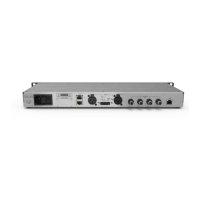

 To Next Page