Telex Communications
115
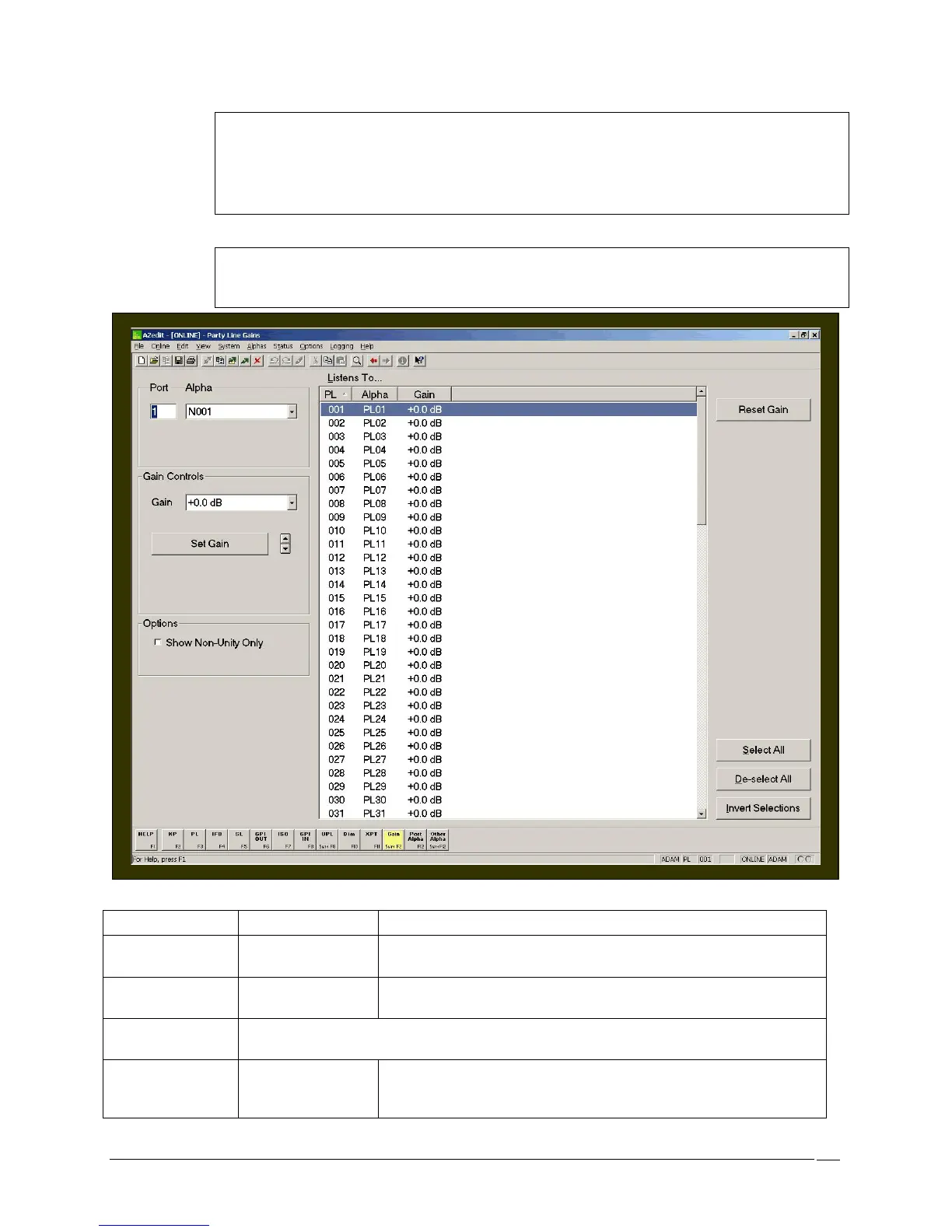
Note: The default level of +0.0 dB is also called the unity gain level. Normally, the list in the center
of the screen will show the gains for all party lines. If you check Show Non-Unity Only, you will
see only those party lines that are not set at the default level.
Use the Reset Gain button to reset the gain for whichever party lines are currently selected in the
center of the screen. This will reset gains to the default level of +0.0 dB.
Note: It is also possible to adjust the party line gains for a specific intercom port while viewing the
setup screen for that port. Access the keypanel setup. Then, select the desired intercom port in
the upper-left corner of the screen and click the Gain button.
Screen Items
Screen Item Field Type Description
Port text field
The Port field displays the system generated port number currently
being viewed.
Alpha drop-down list
The Alpha field displays the number of the Alpha currently being
displayed.
Listens To…
The Is Listening To… field shows the PL (party line) number, the alpha and the gain level
of the selected party line.
PL display column
The PL field displays the selected port for which the crosspoint listen
gain can be set.
From the Port field, select the
for which you want to set



 To Next Page