Care and Feeding of Telex Radio Dispatch Systems
C-6200 Setup
Phase 4 Design, Inc.
Dave Grant / dgrant@hostnw.net
425.402.7308
11/5/2010 Page 13 of 18
Transmit Path:
The transmit path begins at the microphone of your choice and ends with the transmit line card jack.
Microphone adjustments
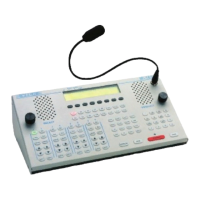
There are three microphone inputs to the C-6200. A gooseneck connector is provided for on the front
of the console and is default with the front panel PTT. Two inputs are accessible from the rear of the
unit. One is a four-wire connector and the other is a six-wire connector. The four-wire connector will
accept either a handset or headset. The six-wire connector will accept desk microphone. All
connectors may be used at the same time. Transmit audio from the six-wire connector is blocked
only when the PTT of the four-wire connector is active. The gooseneck, handset/headset and the
desk microphone inputs go through dedicated preamplifier stages and CODEC’s are then connected
to the DSP by the PTT source. In setting the microphone levels the goal is to adjust the preamps so
that nominal voice levels through both microphones (if two are being used simultaneously) are of
equal level at the input of the CODEC’s . The following procedures will guide you through the
tuning process:



 To Next Page