To Next Page

K
knoxbryceAug 8, 2025
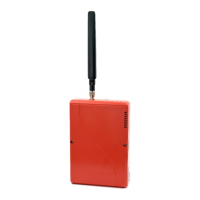
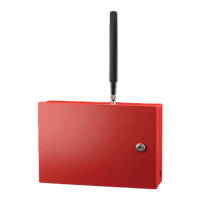
What happens when the Communication Center activates a remote query on my Telguard TG-7FS Security System?
- QqlucasAug 9, 2025
The Telguard Security System sends status data to the TCC for review by customer service.

What happens when the Communication Center activates a remote query on my Telguard TG-7FS Security System?
The Telguard Security System sends status data to the TCC for review by customer service.
What does the automatic self-test do on the Telguard Security System?
The Telguard Security System sends self-test information to the central station via TCC and then returns to a ready state.
What to do if my Telguard Cell Phone is operating from communicator backup battery?
If your Telguard Cell Phone is 'Operating from communicator backup battery', connect to panel power or AC power.
What to do if my Telguard Cell Phone is not activated at TCC?
Ensure the unit is activated at the TCC.
What should I do if my Telguard Cell Phone communicator is initializing with cellular network?
If your Telguard Cell Phone communicator is initializing with the cellular network, wait for the initialization to complete.
Provides support contact, manual scope, assumptions, disclaimers, repair, warranty, and terms.
Explains operating modes, cellular usage, system description, and core product features.
Covers dealer account, checklist, PCB layout, and communicator registration.
Lists installation summary, physical install, connections, activation, and tamper switch.
Provides wiring diagrams, LED guides, compliance, specs, and accessories.
 General
| Power Supply | 12V DC |
|---|---|
| Communication | Cellular |
| Frequency | 850/1900 MHz |
| Outputs (relays) | 2 |
| Battery Backup | Yes |
| Product Type | Fire and Burglar Alarm Communicator |
| Compatibility | Most fire and burglar alarm panels |
| Inputs | 4 zones |
| Outputs | 2 relays |
| Inputs (zones) | 4 zones |