1. INSTALLATION
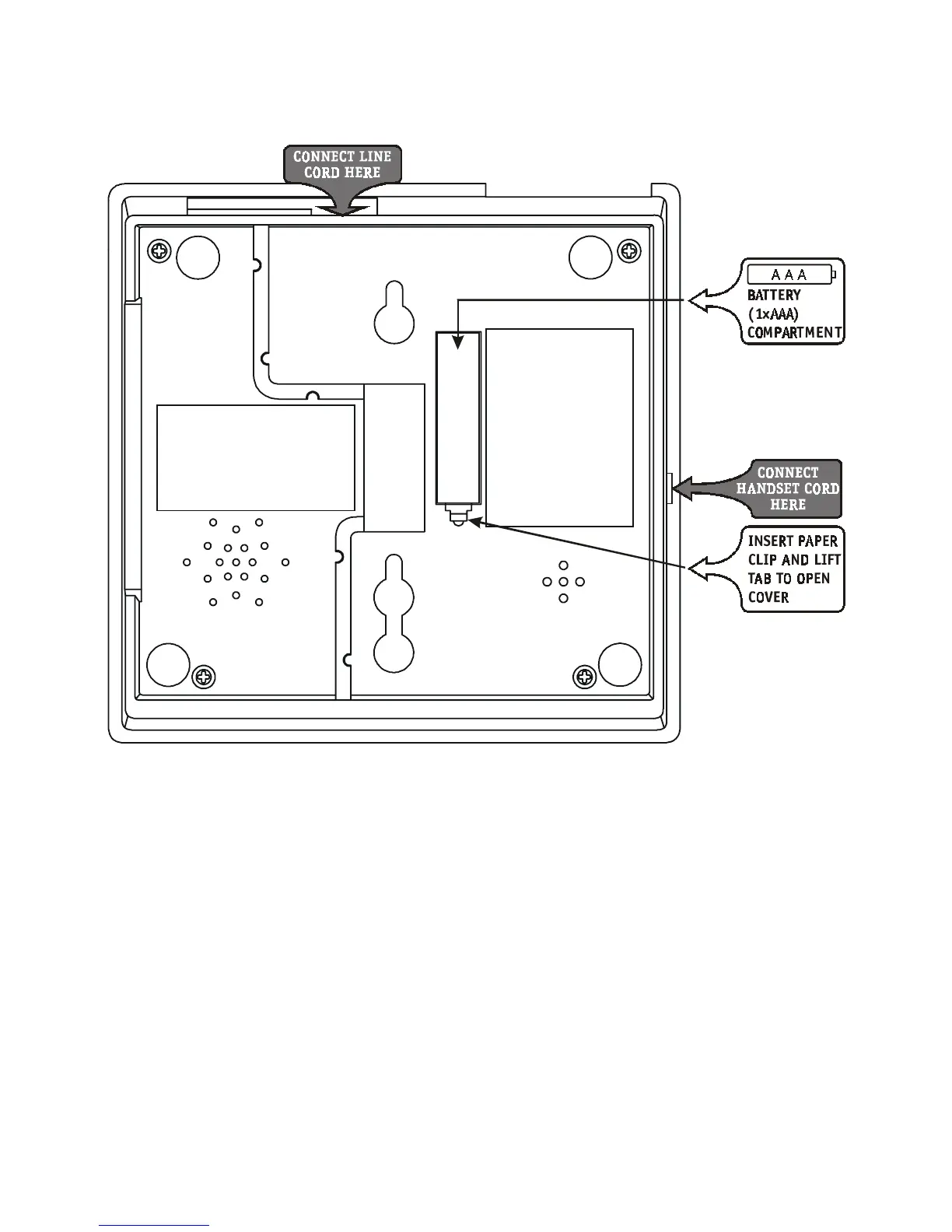
1.1 Installing the battery
Disconnect the telephone line before installing or replacing the battery.
1. Open the battery door by pulling back the latch on the battery cover.
2. Insert one (1) AAA alkaline battery (not included).
3. Snap the battery door back into place.
The telephone offers a unique memory retention feature. This will prevent the
loss of memory for a short while when replacing the battery.
1.2. Choosing a location
You can place the telephone on a desktop, table or mount it against the wall.
Select a location that is conveniently located near a telephone wall socket.
Page 1



 To Next Page