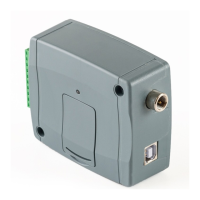
Table of contents
1 General operation of the Gate Control BASE ...................................................................................... 4
1.1 Differences between the 2G, 3G, 3GA and the 4G models ........................................................ 4
1.2 Setting the system time .............................................................................................................. 5
1.3 Data traffic .................................................................................................................................. 5
1.4 Operation of the contact inputs ................................................................................................... 5
2 Processing of personal data ................................................................................................................ 5
2.1 Responsibility of the Manufacturer ............................................................................................. 6
3 Connecting the terminals and putting into operation ........................................................................... 6
3.1 Under Voltage Lock Out (UVLO) function ................................................................................... 6
3.2 Input wiring ................................................................................................................................. 6
3.3 Output wiring .............................................................................................................................. 6
3.4 Connections ............................................................................................................................... 7
3.4.1 Wiring diagrams according to output control modes .......................................................... 7
3.5 SIM card holder .......................................................................................................................... 9
3.6 Connecting the antenna ............................................................................................................. 9
3.7 Installation .................................................................................................................................. 9
3.8 Putting into operation ............................................................................................................... 10
3.9 Status LED signals ................................................................................................................... 10
3.10 Technical specification ............................................................................................................. 10
4 Configuring the Gate Control BASE device ....................................................................................... 11
4.1 The user interface and configuration options of the software: .................................................. 11
4.2 Methods of connecting to the device ........................................................................................ 12
4.2.1 Connecting to the device via USB ................................................................................... 12
4.2.2 Connecting to the device over the Internet ...................................................................... 13
5 Gate Control programming software usage and feature descriptions ................................................ 16
5.1 Connection menu group ........................................................................................................... 16
5.1.1 Viewing the settings options and configuring offline ........................................................ 16
5.1.2 Connection type .............................................................................................................. 17
5.1.3 Device register ................................................................................................................ 18
5.2 Device settings menu group ..................................................................................................... 20
5.2.1 General............................................................................................................................ 21
5.2.2 Inputs .............................................................................................................................. 24
5.2.3 Reporting channels .......................................................................................................... 25
5.2.4 Input events ..................................................................................................................... 26
5.2.5 Outputs ............................................................................................................................ 28
5.2.6 Advanced settings ........................................................................................................... 32
5.3 Users menu group .................................................................................................................... 35
5.3.1 Users ............................................................................................................................... 36
5.3.2 Remote access ................................................................................................................ 40
5.4 Device status menu group ........................................................................................................ 42
5.4.1 Status monitoring............................................................................................................. 42
5.4.2 Event logs ........................................................................................................................ 45
5.4.3 System logs ..................................................................................................................... 46
5.5 Software settings menu group .................................................................................................. 47
5.5.1 Settings ........................................................................................................................... 47
5.5.2 About ............................................................................................................................... 48
6 Configuring the Gate Control BASE by SMS, using a mobile phone ................................................. 49
6.1 Detailed specification of SMS commands: ............................................................................... 50
7 Updating the firmware ....................................................................................................................... 54
7.1 Updating via USB ..................................................................................................................... 54
7.2 Updating remotely over the Internet ......................................................................................... 55
8 Restoring the factory default settings ................................................................................................ 55
8.1 Restoring the factory default settings using the programming software .................................... 55
8.2 Restoring the factory default settings using the reset button .................................................... 55
9 Package content ............................................................................................................................... 55


 To Next Page
 Loading...