TY Instructions 4 3/20/12
TY Calibration Instructions for the new $1 & $2 CAD Coins
For the new $1
You will need (5) x new $1 coins & (5) x old $1 coins and (1) TellerCup to complete this task.
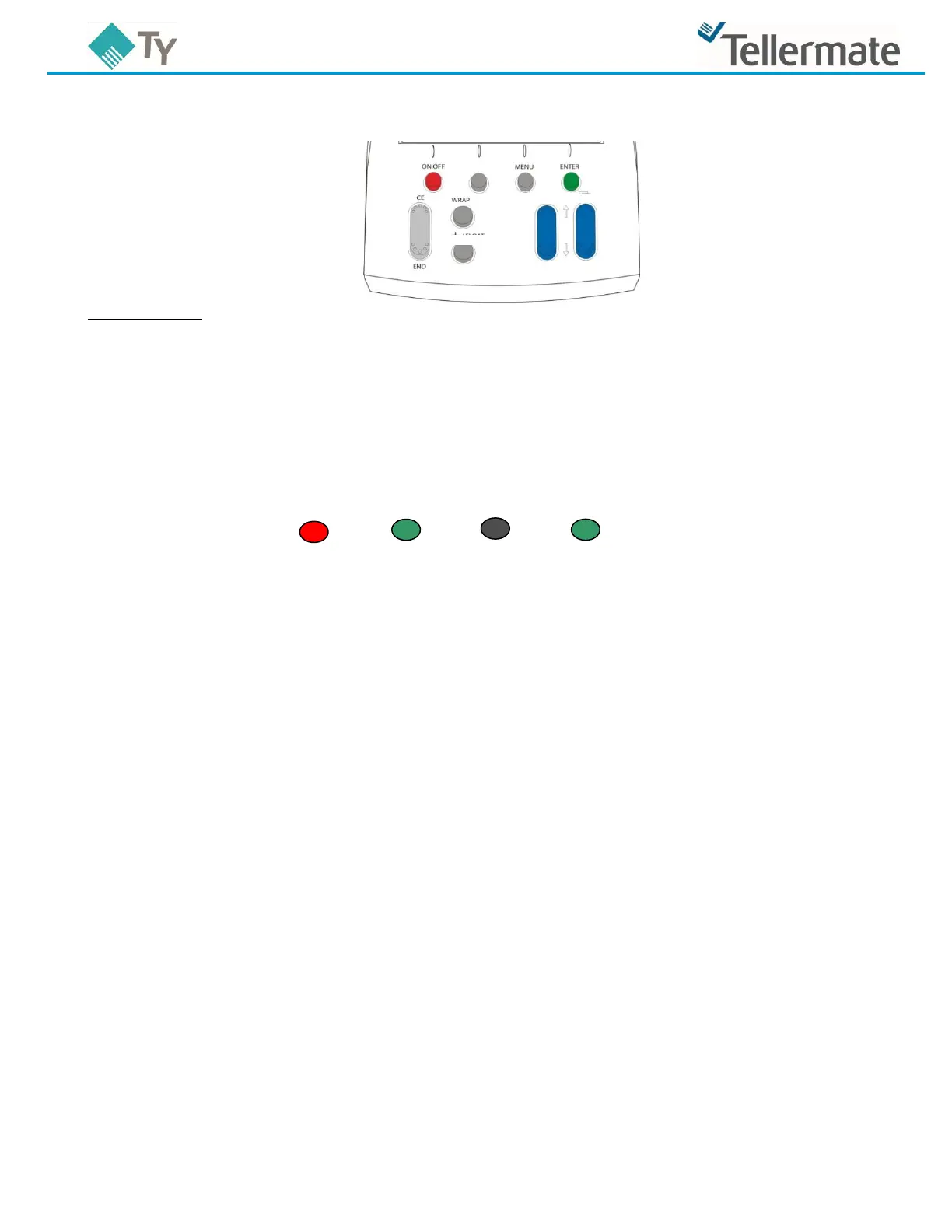
1. While in the count screen, press the MENU key. This takes you to the “Menu” screen.
2. Ensure ‘Options’ is highlighted and press the ENTER key.
This takes you to the ‘Options’ screen.
3. Using the BILLS key, select ’Supervisor’ and press ENTER.
4. This takes you to the ’PIN Number’ screen, press the following keys in the order shown below:
ON-OFF ENTER $ ENTER.
This takes you to the ’Supervisor’ screen.
5. Ensure ’Setup/Calibrate’ is highlighted and press ENTER.
6. Using the BILLS key scroll and highlight ’COINS’ and press ENTER.
You will now be in the screen entitled “Press WRAP for Setup”.
7. Using the BILLS key scroll and highlight ‘$1’.
8. With ’$1’ highlighted press the WRAP key.
This takes you to ‘Calibrate Coins’ screen.
9. Now press the ENTER key.
10. The TY will now display ‘Put container on hod’. Place an empty TellerCup on to the hod.
11. The TY will now display ‘Put 10 Coins on hod and press ENTER’. Place the (5) new $1 & (5) old $1
into the TellerCup on the hod, and then press ENTER.
12. The screen will now display ‘Add another 5 to 10’. Instead remove the TellerCup from the hod.
13. Use the BILLS key to scroll and highlight ‘Save new weight’ and then press ENTER.
14. Press END repeatedly to return to the Count screen. Your TY is now setup for the $1.
NOTE: It will now be necessary to count $1 coins loose by adding approximately 6 coins at a
time to the TellerCup. It is no longer possible to check Full Rolls of $1 coins.



 To Next Page