Security
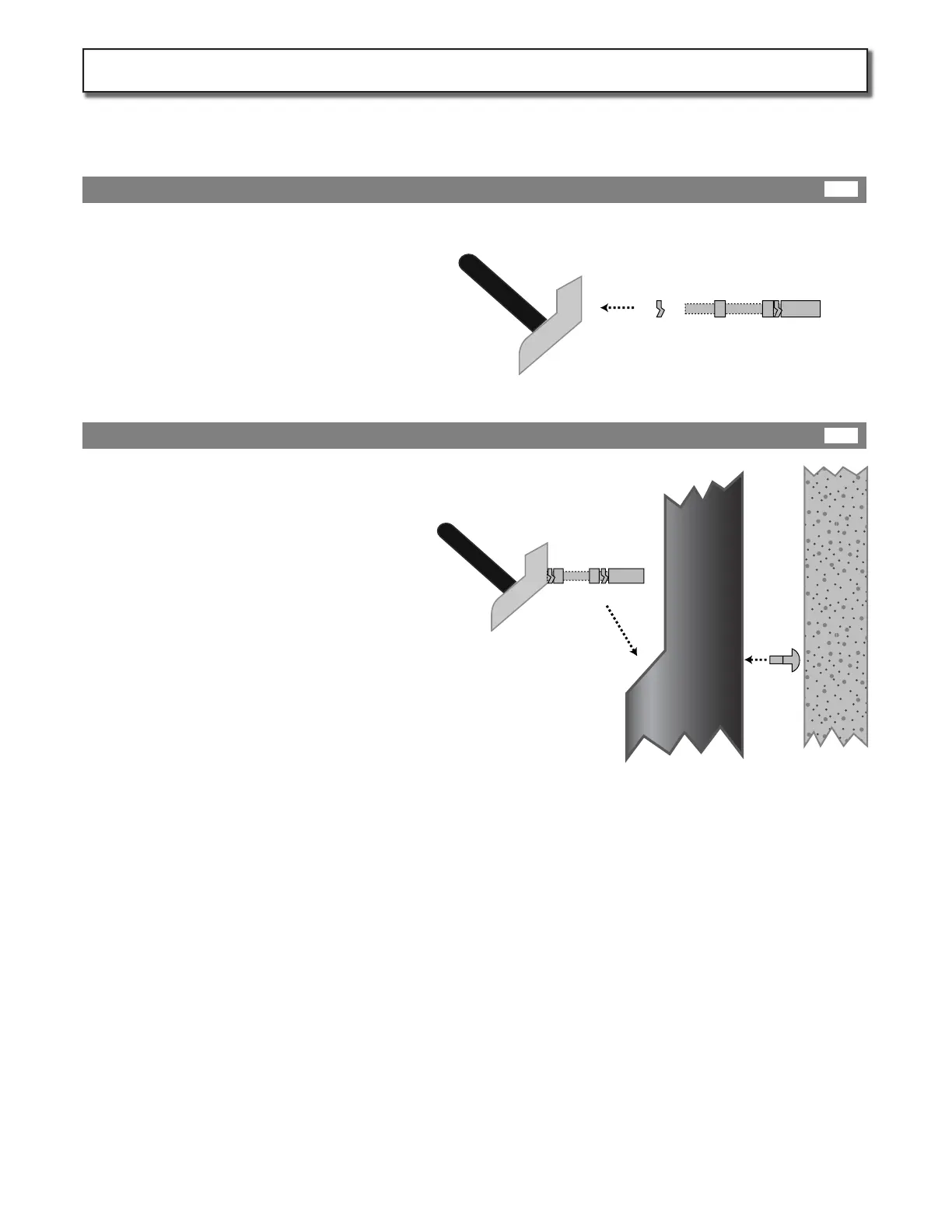
Bolt
Assembled
Base plate
Next insert the assembled base plate in to the
lower part of the housing and attach from the
back with the security bolt provided.
Adjust assembly as necessary before tightening
security Bolt
Base plate
Hardware
Set
Lock
Washer
Locking
Nut
Attach the base plate hardware (provided) to
the base plate by inserting it through the lock
washer and into the back of the plate.
Thread the hardware set into base plate until it is
nger tight.
Now tighten the locking nut down onto the base
plate with a wrench.
If a standard GRIDbot UP housing is not already installed, order and instal one by follow steps in housing Installation
manual (UP-HIM) followed by steps on page 6 of this manual.
Prepare Base Plate
Attache Base Plate to Housing
Page 7
Prepare Housing for Head Unit:
7B
7A
KIT302-IM-20140501


 To Next Page