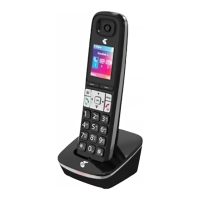
If you’ve bought a Telstra Call Guardian 301 additional handset, you must
register it to your Telstra Call Guardian 301 base before it can be used.
Register an additional Telstra Call Guardian 301 handset
1. Select Menu, scroll using the DOWN BUTTON
CALLS
to display Settings and press
Select.
2. Press the DOWN BUTTON
CALLS
to highlight Registration and press Select.
3. Register is highlighted, press Select.
4. Press and hold the PAGE BUTTON
on the base until you hear a beep and
the In use light starts to ash. Immediately, select OK on the handset. The
handset will display Registering handset to indicate the base is in registration
mode.
If you are prompted to enter a PIN during the handset registration process,
please refer to page 66 of the Telstra Call Guardian 301 Twin User Guide for
more information.
You have 2 minutes to complete the registration process. After 2 minutes the
In use light on the base will stop ashing. If registration isn’t successful the
rst time, please try again in case the base registration period ran out of time.
Registering your additional handset
If you need some help, call us on 13 2200 or go to https://go.telstra.com.au/helpandsupport/home-phone/
3


 To Next Page