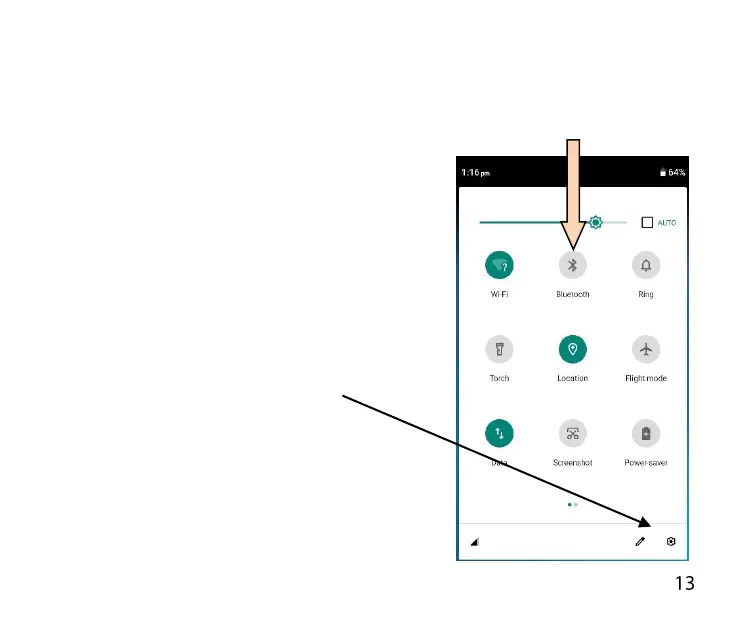
ACCESS THE QUICK SETTINGS PANEL
Swipe down from the top of the home screen to access the Quick
Settings panel. Touch each icon to switch that feature on or off, long
press Wi-Fi or Bluetooth to access more features.
THE QUICK SETTINGS PANEL:
Pull down from the top of the screen
twice to access the quick settings
panel or pull down once using two
fingers.
Use the pen icon to Edit the layout
and use the Settings icon as a
shortcut to Settings
You can long press on some icons to
jumpt to their menu settings.



 To Next Page