GETTING STARTED
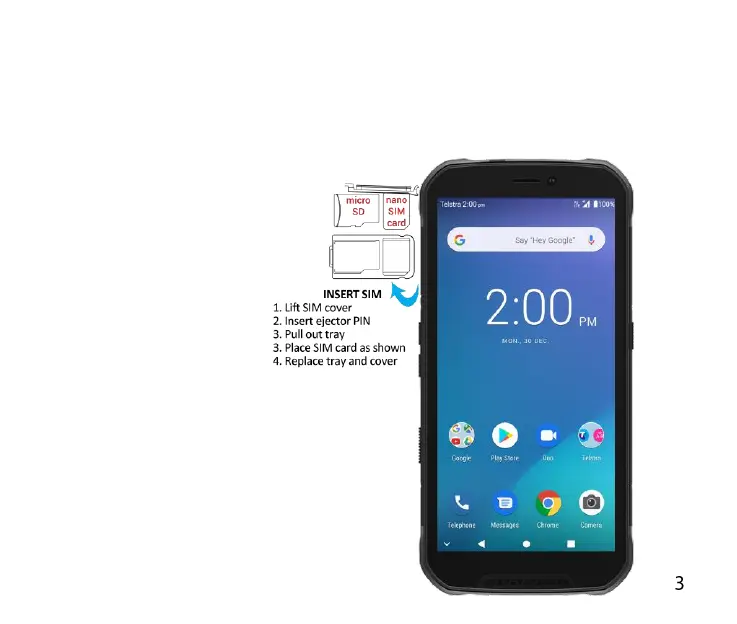
INSERT YOUR SIM CARD.
Open the SIM cover on the top right side of the device. There is a finger notch
at the bottom of the SIM cover, use a finger nail to gently lift up the SIM cover
towards the top of the handset.
1. Locate the pin hole.
Insert the pin pusher
provided into the pin
hole to eject the SIM
tray.
2. Place the SIM card into
the tray as shown and
push the tray into the
SIM slot until it clicks and
locks into place.
3. Close the SIM cover to
maintain water
protection integrity.



 To Next Page