VOICE CALLS
Making a voice call
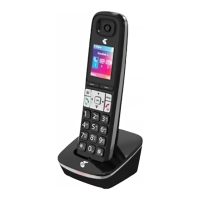
• To make a voice call, enter the number on the keypad and
press OK key or the green call key to dial.
If the number already exists in your Contacts, possible
matches are listed where you can use up and down arrows
to select.
You can also call a number from your Contacts.
• Select Menu, navigate to Contacts and press OK key.
• Use the up and down arrows to search for your contact and
press the green call key to dial.
Answering an incoming call
• When you receive an incoming call press the green call
key or OK key to answer the call. You can press OK key for
loud speaker mode.
• To reject or end a call press the red end key.
TEXT MESSAGING (SMS)
Sending a SMS text message
There are two ways to access your SMS messages.
• You can press the right navigation key to access the
shortcut for Messages. Alternatively, open the menu
screen and navigate to Messages with the arrow keys.
• Press the centre key to create a new message and press it
again to select Text message.
• Type in your contact number with the keypad or press the
centre key to select a contact from your address book.
Use the navigation arrow keys to move up or down and the
centre key to select.
• Press the navigation down key to move to the text field and
enter your message with the letter keys on the keypad.
• When complete press the centre key to send message.
MAKING CALLS,
MESSAGES AND EMAILS
11 12



 To Next Page