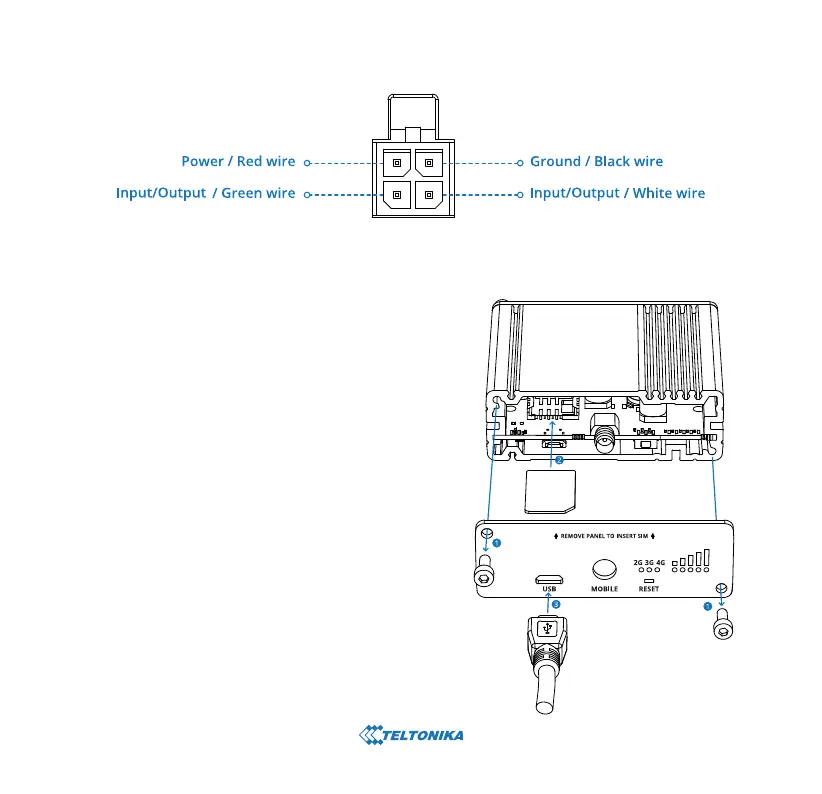
1. Unscrew two back panel hex bolts.
2. Remove the back panel.
3. Insert your SIM card into the SIM socket.
4. Attach the panel and tighten the hex bolts.
5. Attach the mobile antenna (max torque 0.4 N·m / 3.5 lbf·in)
and connect the USB cable.
HARDWARE INSTALLATION
POWER SOCKET PINOUT


 To Next Page