10
11
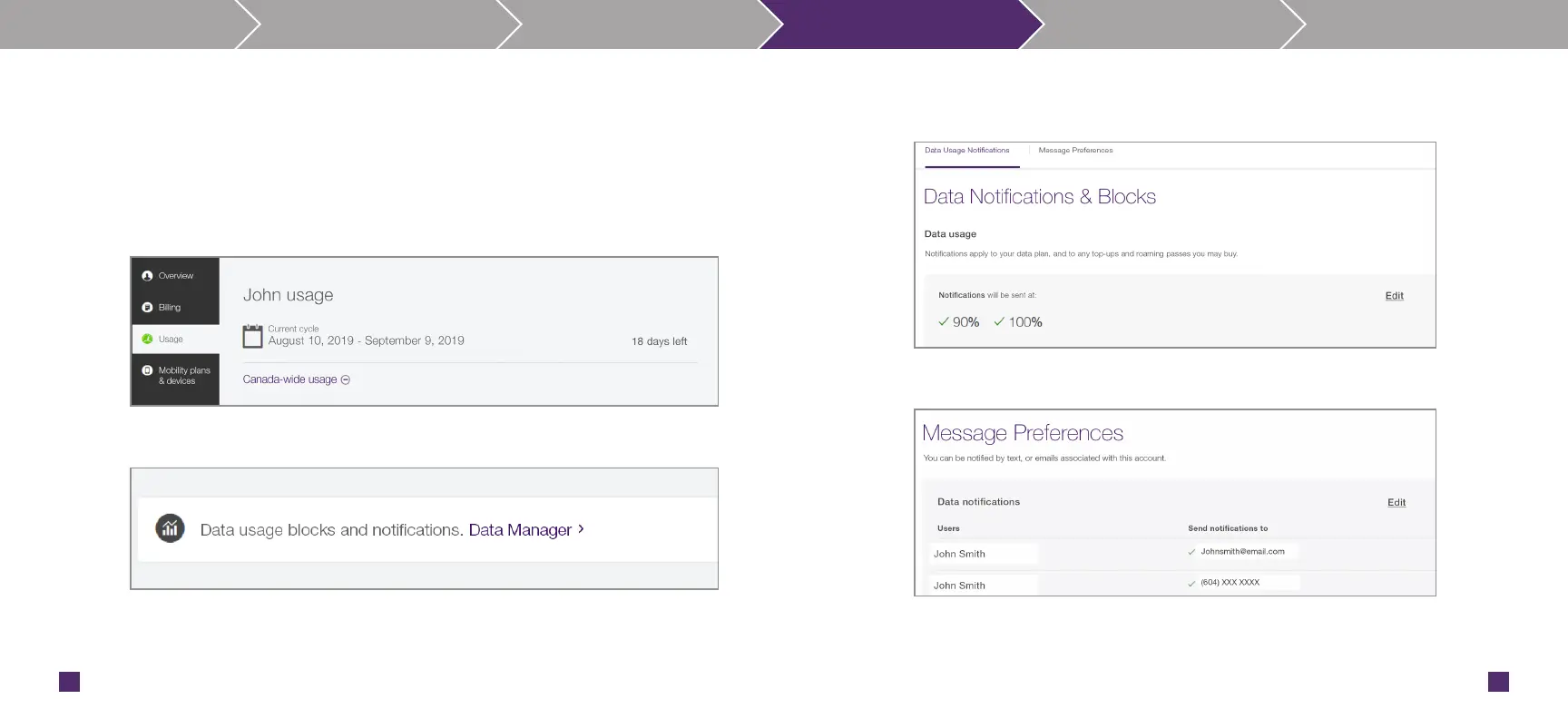
Data notifications help track your wireless Internet usage so you can adjust your data plan or
usage if necessary. We’ll let you know when you’ve used 75%, 90% and 100% of the data
included in your plan.
To set up email notifications for your Smart Hub, log in to My TELUS Account at
telus.com/mytelus
Step 1: Select Usage.
Step 2: Select Data Manager.
Step 3: Choose Data Notifications & Block choose our data notification at
50%,75%, 90% and/or 100% of usage.
Step4: Choose Message Preferences, select email notifications as preference.
For more information on how to setup your data notifications, please visit
telus.com/en/support/article/mobility-data-usage-notifications
Know your Smart Hub Set-up Connect Data Usage Configurations Troubleshoot


 To Next Page