5
How to Set & Start Timer
a. Setting- up the time cycle:
The ODPT
TM
timer is set for 6 hours by default.
To change the cycle (from 1-8 hours):
1. Switch OFF the thermometer.
2. Press and hold the SET button.
3. Continue pressing the SET button, then press the timer
button once and release
both buttons.
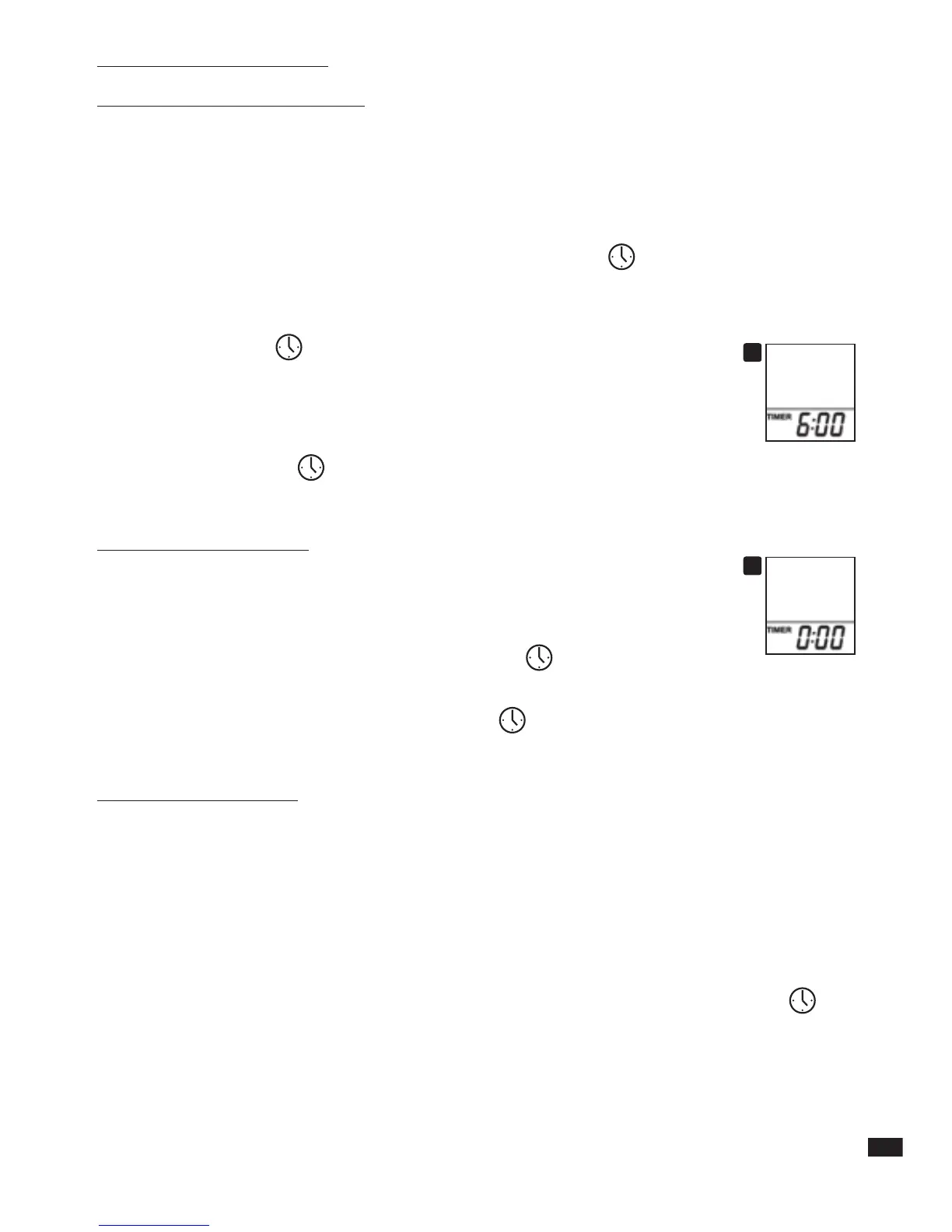
4. The interval time value will blink on the display.
5. Press the “Timer”
button to scroll through time interval options.
The display will show time values between 1-8 hours
(1, 2, 3, 4, 5, 6, 7, 8) and then back to 1 hour (starting over again).
(See figure 10).
6. Release the “Timer”
button when the desired value appears on the display. Then
press the SET button in order to set the desired value.
b. Operating the timer:
1. To start the timer press and release the “Timer” button. The timer's
display will show "0:00" (See figure 11) . Press again and the timer
will start counting seconds until "0:01" minute and then minutes.
2. To reset the timer press and hold the “Timer”
button.
(Press the “Timer” button until display changes to “0:00”).
3. To start the timer again, press the “Timer”
button again. The count will start
from “0:00”.
IMPORTANT NOTES:
• The ODPT
TM
timer can be used while the thermometer is on or off.
• The ODPT
TM
timer continues to count the time elapsed even if the thermometer is
turned off.
• It is not possible to turn on the timer when conducting temperature measurement.
Temperatures can be taken while the timer is running.
• If the ODPT
TM
timer is stopped mid-cycle, cycle must be reset by pressing and
holding the timer button for 3 seconds. To resume the timer press the timer
button again.
• When the time cycle has ended the thermometer will beep. The display will blink
the pre-set time cycle for 60 seconds.
For example, if the timer was set to 6 hours, the image “6:00” will blink on the
display.
inner pages
10
11


 To Next Page