SHORT USER MANUAL COMMAND UNIT
3. CONTROL ELEMENTS
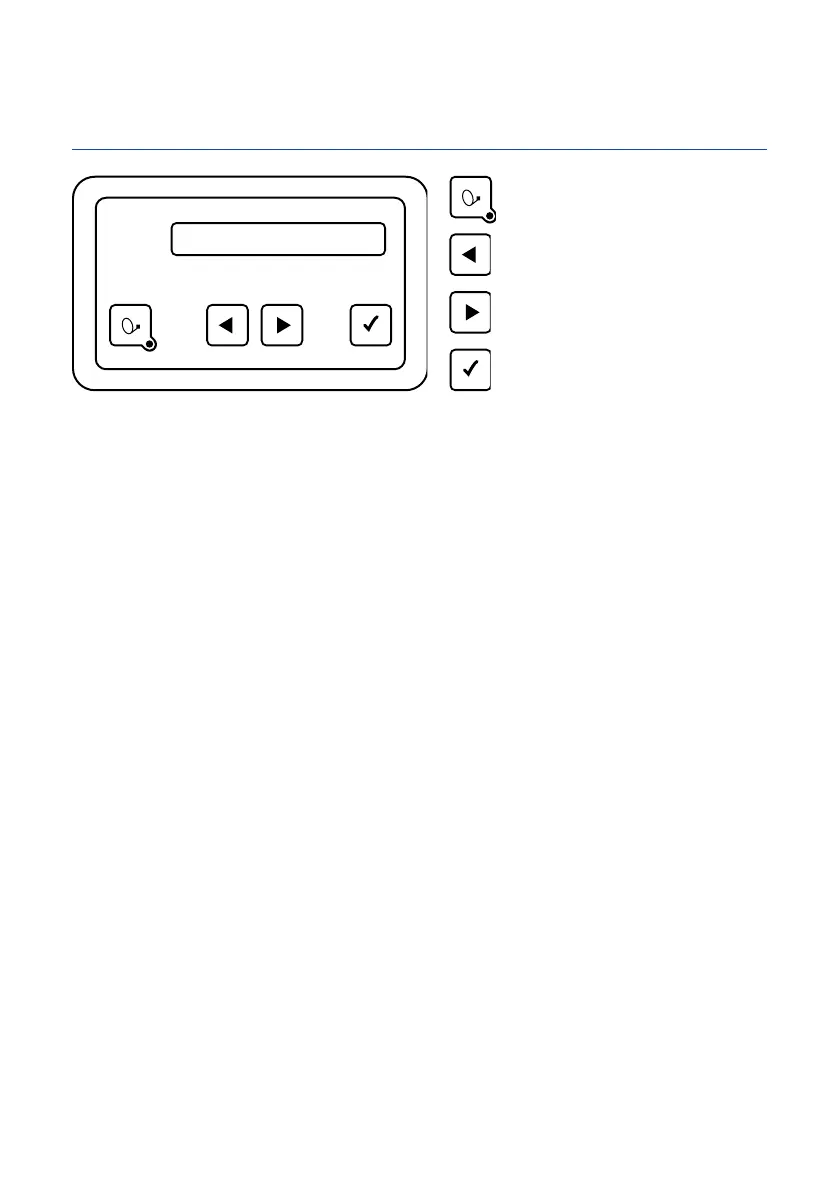
3.1 Control panel (if included in supply)
On / Off
You may choose any location you like to install the control panel, but please bear in mind that it is not waterproof. You may still
need to remove the protective film from the display.
The display of the control panel will show the various operating modes of the system. We recommend you to install the control
panel in a location where the display is clearly visible.
The display is illuminated, so it is not a problem if it is installed in a very dark location.
To ensure safe and reliable operation of the system, please make sure the external unit is in rest mode before disconnecting the
control panel. Check that no text is shown in the display – this is an indication that the system is in rest mode.
Without control panel, the system is controlled by the Oyster® TV connected to it. You can also control the system using your
mobile device or tablet with the free ten Haaft® app.
Menu command "forward"
Menu command "back"
Menu command "OK"


 To Next Page