34
Step 2 (Optional) Enable WLAN.
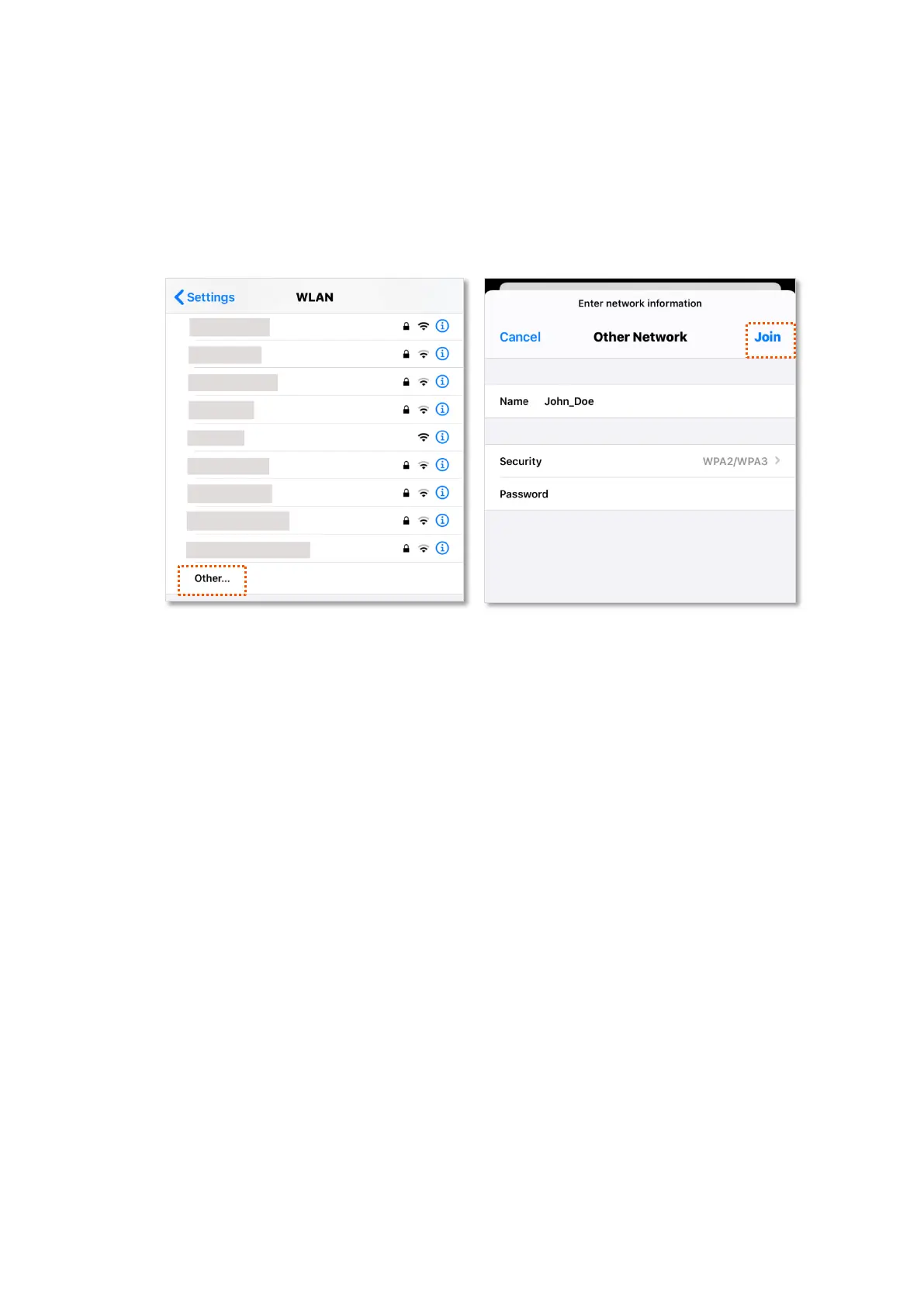
Step 3 Scroll the WiFi list to the bottom, and tap Other….
Step 4 Enter the WiFi name and password, which are John_Doe and Tenda+Wireless245 in this
example.
Step 5 Set security to WPA2/WPA3 (If WPA2/WPA3 is not available, choose WPA2).
Step 6 Tap Join.
---End
When completing the configurations, you can connect to the hidden WiFi network to access the
internet.


 To Next Page
 Loading...