36
Step 2 Choose WiFi Settings > WiFi Schedule.
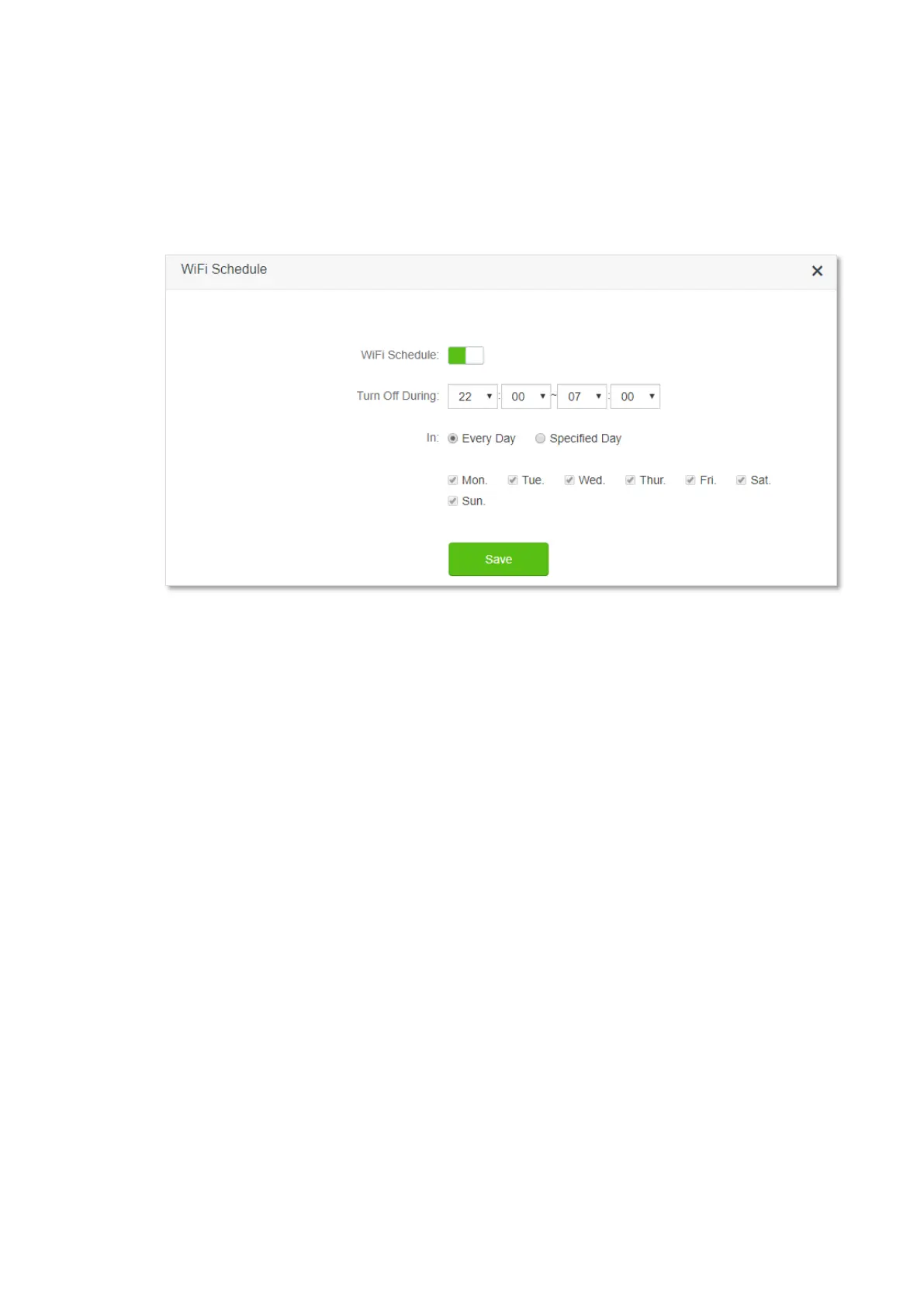
Step 3 Enable WiFi Schedule.
Step 4 Set a period for the WiFi networks to be disabled, which is 22:00~07:00 in this example.
Step 5 Set the days when the functions works, which is Every Day in this example.
Step 6 Click Save.
---End
When the configuration is completed, the WiFi networks will be disabled from 10 pm to 7 am
every day.


 To Next Page
 Loading...