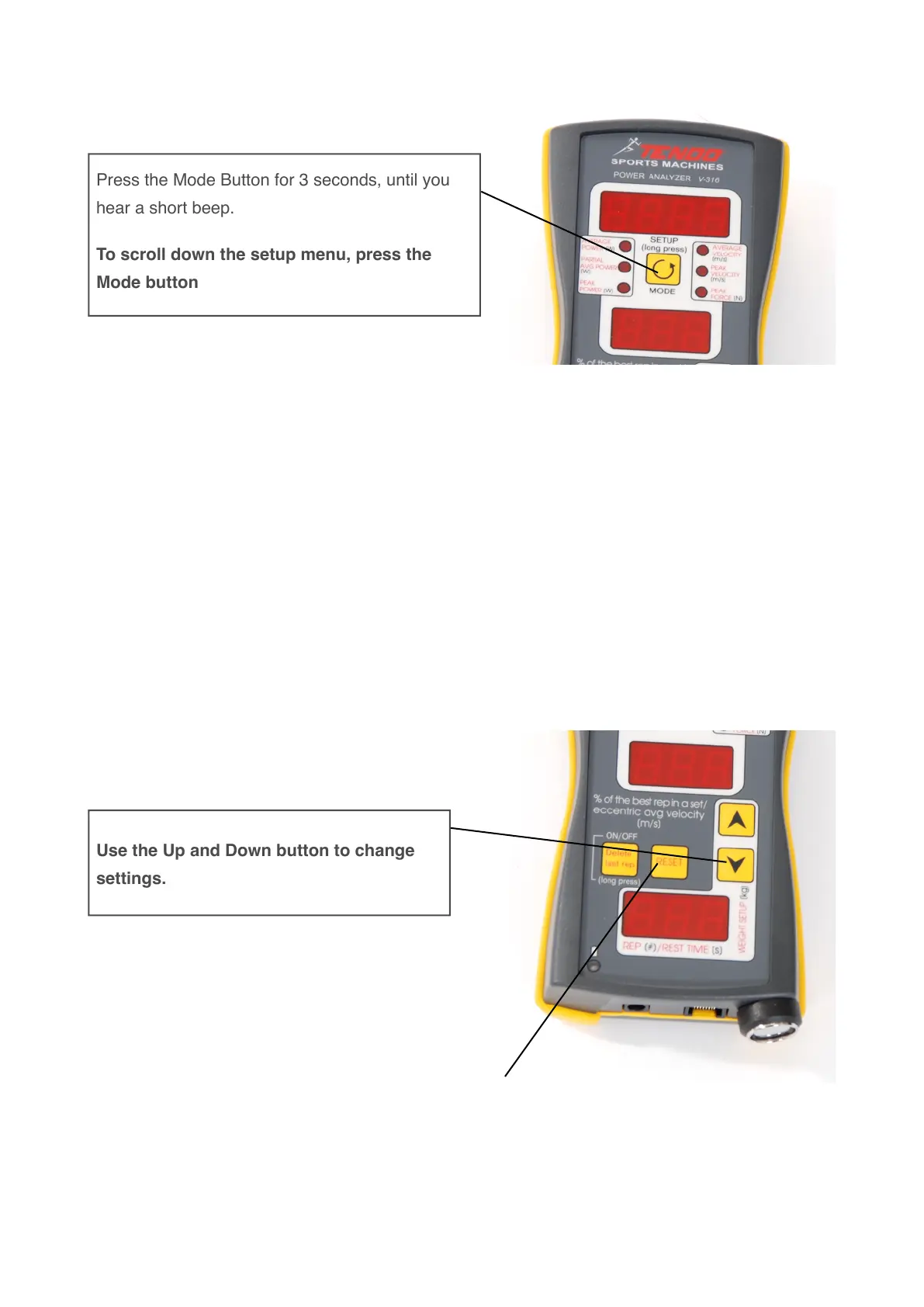
7. Enter the setup mode
Identifying the parameters in the Setup Mode:
•
Load (Weight) – microcomputer indicates on upper display „LoAd“
•
Filter – microcomputer indicates on upper display „FILt“
•
Audio signal - Upper Limit – microcomputer indicates on upper display „A-UP“
- Lower Limit – microcomputer indicates on upper display „A-LO“
•
% limit for Partial Avg. Power and Peak Force (from 1 to 100%) – microcomputer indicates on
upper display „P-AP“
•
Rest time (ON/OFF) – microcomputer indicates on upper display „r-t“
•
Eccentric average velocity (ON/OFF) – microcomputer indicates on upper display „ECS“
•
Lbs (ON/OFF) - microcomputer indicates on upper display “lb” if the input weight setting in
pounds is turned on
8. Exit from setup mode
Press Reset Button and all changes will be saved."
If you do not press Reset Button, the microcomputer exits from setup mode automatically after 30
seconds, without saving new settings.
Press the Mode Button for 3 seconds, until you
hear a short beep.
To scroll down the setup menu, press the
Mode button



 To Next Page