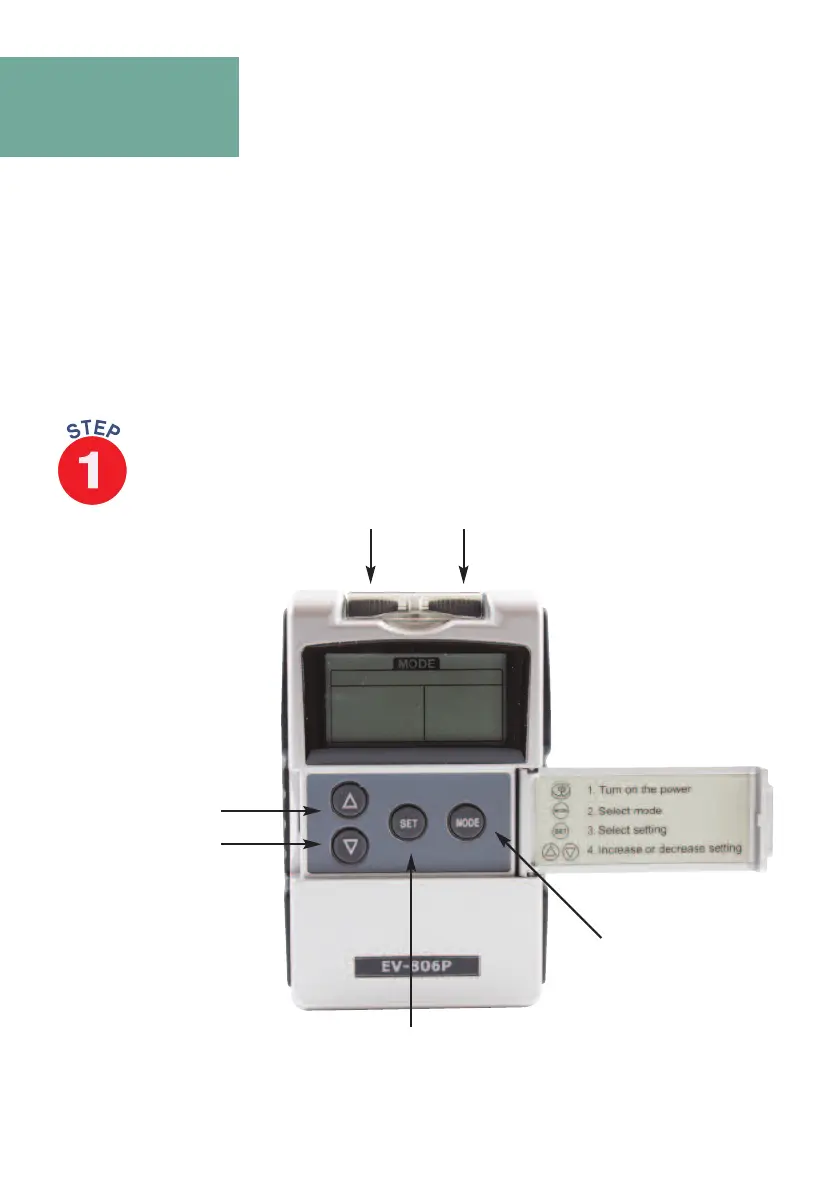
To access the controls, open the front cover (opens from the left hand side
see Fig B) for control functions.
This extremely easy to use 2 channel stimulator offers 24 medically researched pre-
set programmes P1-P12 are pre-set TENS programmes. P13-P12 are pre-set
muscle stimulator programmes.
STEP BY STEP GUIDE
4
Telephone: 0800 121 4626 www.thetenscompany.co.uk
O
n/O
f
f
and
i
nte
nsi
ty
c
ontrols
Mode button
I
nt
ens
it
y
C
ont
r
ol
s
C
H
1
&
C
H
2
Set
Button
Fig B
Up and
D
own keys


 To Next Page