EasyManua.ls Logo

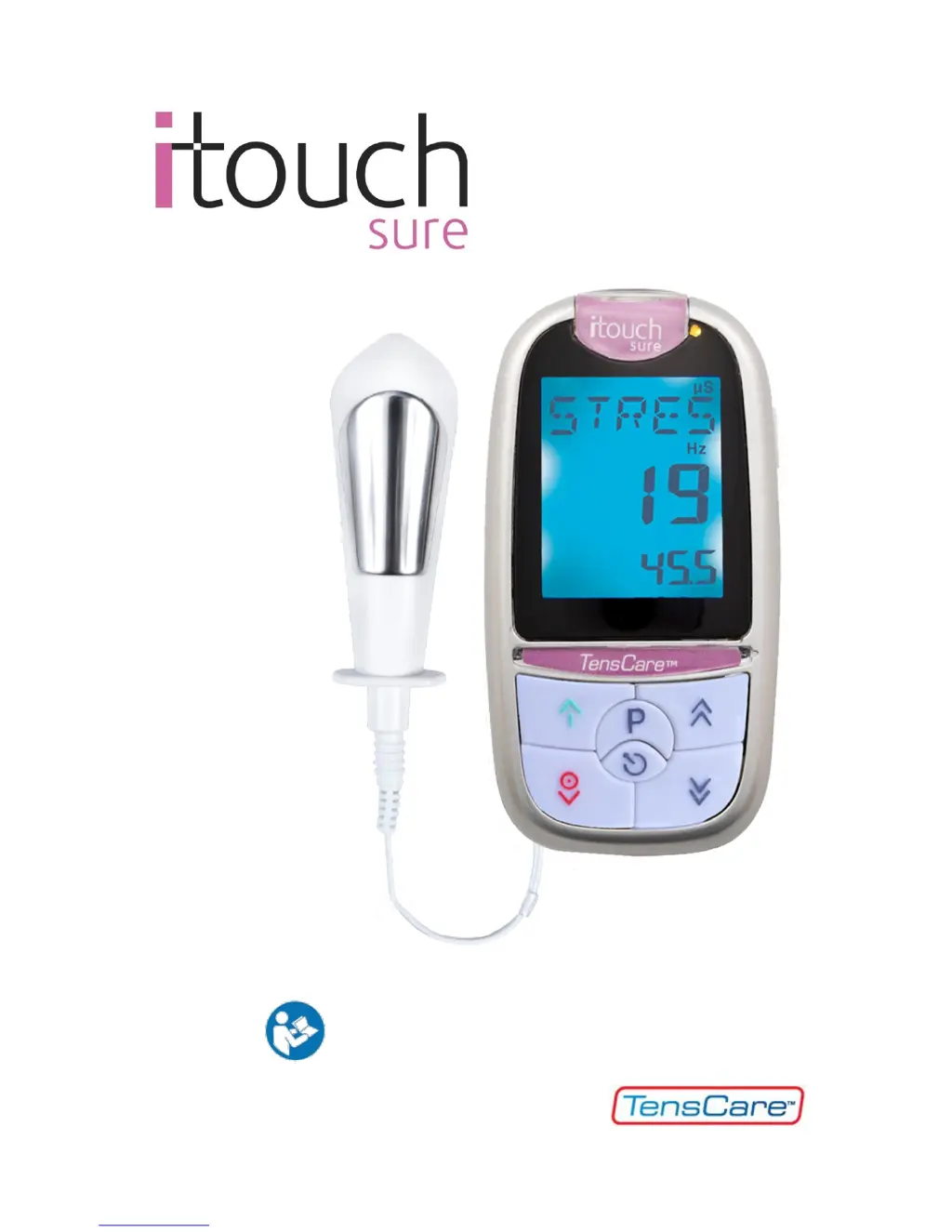
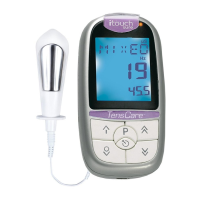
TensCare iTouch Sure - User Manual

TensCare iTouch Sure
36 pages
Print Icon
To Next Page IconTo Next Page
Loading...
0
INSTRUCTIONS FOR USE
READ CAREFULLY BEFORE USE

Other manuals for TensCare iTouch Sure

Questions and Answers

  • B
    Brianna SpencerAug 18, 2025
    How to fix a TensCare Health Care Products with no display?
    • R
      Regina ReedAug 18, 2025
      If your TensCare Health Care Product's display is not working, the problem may be caused by flat batteries, batteries inserted incorrectly, or damaged springs in the battery compartment. You can try the following solutions: * Replace the batteries. * Remove any plastic wrap and check the +/- orientation when inserting the batteries. * If the springs in the battery compartment are damaged, contact the supplier.
  • M
    Mark PerezAug 21, 2025
    What to do if controls won’t work on TensCare Health Care Products?
    • R
      Ronnie MillerAug 21, 2025
      If the display shows 'LOCK', press and hold the LOCK button for 3 to 5 seconds to unlock your TensCare Health Care Product. If 'LOCK' isn't displayed, try removing and then replacing the batteries.
  • A
    Angela OrozcoAug 23, 2025
    What to do if no sensation and LEADS alarm showing on TensCare Health Care Products?
    • B
      Becky KingAug 23, 2025
      If you experience no sensation and the LEADS alarm is showing on your TensCare Health Care Product, it could be due to a break in the lead wires or dry skin affecting conductivity. Here's what you can do: * **Test the Unit:** Dampen your hand with water and a bit of table salt. Firmly squeeze the probe, ensuring your skin covers the metal parts. Gradually increase the strength until you feel something. If the LEADS alarm appears and the unit doesn't allow you to exceed 20.0 mA, the lead wires likely need replacement. * **Improve Conductivity:** Use a water-based lubricant like TensCare Go Gel to enhance conduction. Alternatively, cross your legs and squeeze to increase pressure on the probe, which can improve the connection.
  • K
    kevin73Aug 26, 2025
    What to do if no sensation and no LEADS alarm showing on TensCare Health Care Products?
    • N
      Nicholas PenaAug 26, 2025
      If you're not feeling any sensation with your TensCare Health Care Product and there's no LEADS alarm, it might be due to a low intensity level or reduced sensitivity in the treated area. First, ensure you're increasing the intensity high enough. Most people start feeling the stimulation in their hand around 25.0 mA, and with the probe inserted, you might need to increase it to around 40.0 mA to 60.0 mA. The maximum power is 99.5 mA. If the issue persists, it could be due to reduced sensitivity from previously damaged or desensitized nerves; in this case, please consult your healthcare professional.
  • N
    Natalie HullAug 28, 2025
    Why does my TensCare Health Care Products show a low battery display?
    • R
      Ryan HamiltonAug 28, 2025
      If your TensCare Health Care Product displays a low battery warning, the solution is to replace the batteries.
  • S
    Sharon RiceAug 31, 2025
    What to do if there is no sensation on one side of the probe (or electrode) of TensCare Health Care Products?
    • R
      rhonda09Aug 31, 2025
      The sensation strength depends on how close the current flows to the nerve and the direction of the current relative to the nerve. Try slightly adjusting the probe's position or exchanging the wire connections in the probe on your TensCare Health Care Product.
  • L
    Lori JohnstonSep 2, 2025
    How to fix TensCare Personal Care Products when there is no display?
    • A
      Alice WillisSep 2, 2025
      If your TensCare Personal Care Product's display is blank, the issue might be due to flat batteries. Try replacing them. Also, check if the batteries are correctly inserted, paying attention to the + and - signs. In case the springs in the battery compartment are damaged, contact your supplier.
  • J
    jessicagardnerSep 4, 2025
    What to do if the controls on my TensCare Personal Care Products won’t work?
    • G
      Grant CoxSep 5, 2025
      If the controls on your TensCare Personal Care Products aren't working, and 'LOCK' is displayed, press and hold the LOCK button for 3 to 5 seconds to unlock the keypad. If 'LOCK' isn't showing, remove and then reinsert the batteries.
  • J
    Justin MayoSep 7, 2025
    Why does my TensCare Personal Care Products show a low battery display?
    • J
      Jerry HarrisSep 7, 2025
      A low battery display on your TensCare Personal Care Products usually indicates that the batteries are low. Replacing them should resolve the issue.
  • R
    Ryan LopezSep 12, 2025
    Why am I not feeling any sensation with my TensCare Personal Care Products, and there's no LEADS alarm?
    • L
      Larry CollinsSep 12, 2025
      If you're not feeling any sensation with your TensCare Personal Care Products and there's no LEADS alarm, it could be due to the intensity level being too low or reduced sensitivity in the treated area. * Ensure you are increasing the intensity high enough. Most people will start to feel the stimulation in their hand at around 25.0 mA, and with the probe inserted, you may need to increase the intensity higher, around 40.0 mA to 60.0 mA. The maximum power is 99.5 mA. Increase the intensity until you can feel it. The intensity increases in very small steps of 0.5 mA. * You may have reduced sensitivity due to previously damaged or desensitized pudendal nerves (this can happen in childbirth or some surgical procedures). Please consult your healthcare professional.

Summary

Introduction and Intended Use

Device Description

Explains the product's purpose and how it works to strengthen pelvic floor muscles.

Intended Use and Contraindications

Specifies home use for incontinence and highlights key contraindications.

iTouch Sure Features

Core Device Features

Details single channel, preset programmes, timer, lock, screen, and memory functions.

Pelvic Floor Exercises

Pelvic Floor Muscles Anatomy

Describes the muscles supporting pelvic organs and their role in sexual function.

Pelvic Floor Muscle Weakness and Benefits

Discusses consequences of weakness, signs of problems, and exercise benefits.

Performing Pelvic Floor Exercises

Provides step-by-step instructions for performing Kegel exercises.

Incontinence Types and EMS Explanation

Incontinence Types Explained

Explains Stress, Urge, and Mixed types of incontinence.

How EMS Works

Details EMS applications in rehab, for pelvic floor weakness, and its advantages.

Warnings, Cautions, and Contraindications

Symbol Definitions

Explains the meaning of Warning, Caution, and Note symbols.

General and Specific Safety Guidelines

Lists prohibitions like pregnancy, pacemakers, and post-surgery use, plus other warnings.

Cautions and Potential Adverse Effects

Advises caution with epilepsy and notes mild adverse effects.

Probe Cautions and Handling

Stresses single-patient use, proper cleaning, safe insertion/removal, and lubricant types.

Electrode Pad and Device Maintenance Cautions

Details pad placement, allergy advice, and device care to prevent damage.

Programme Settings Information

Frequency and Pulse Width Explained

Explains frequency (Hz) and pulse width (µs) and their effects on stimulation.

Programmes Overview

Programme Settings and Descriptions

Details settings for STRES, URGE, MIXED, and TONE programmes.

Tone Programme and Pack Contents

Describes the TONE programme and lists all items included in the pack.

Unit Information and Controls

Controls and Display Overview

Identifies and explains the function of each button and screen element.

Operating Instructions

Power, Strength, and Programme Operations

Details turning the unit on/off, adjusting intensity, and selecting programmes.

Timer, Battery, Lock, Alarm, and Memory

Covers session timer, low battery indicator, lock button, leads alarm, and memory features.

Setting Up and Using the iTouch Sure

Battery Installation, Handling, and Storage

Covers battery installation, warnings, life, and storage guidelines.

Connecting the Lead Wire

Instructions for connecting the lead wire to the unit and probe.

Session Preparation Steps

Covers toilet visit, lubrication, position, and probe insertion warning.

Session Operation and Intensity Adjustment

Details starting session, adjusting intensity, and managing sensation.

Programme Dynamics and Electrode Placement

Explains programme cycles and alternative skin electrode use.

Session Completion and Post-Session Care

Covers session end, probe care, and Kegel reinforcement.

Anal Probe Usage

Conditions Treated and Treatment Procedures

Explains use for faecal and post-prostatectomy incontinence and their treatment.

Anal Probe Insertion and Positioning

Covers preparation, insertion, and positioning for anal probe use.

Cleaning Instructions

EMC and Disposal Information

EMC and WEEE Disposal

Advises on EMC precautions and WEEE disposal procedures.

Accessories and Warranty

Accessory Information and Service Life

Details service life, replacement needs, and ordering for accessories.

Warranty Coverage and Conditions

Covers warranty scope, void conditions, and repair/replacement policies.

Preparing Unit for Service

Steps to take before sending the unit for repair.

Returning Unit for Service

Instructions for returning the unit for repair, including documentation.

Troubleshooting Guide

Common Troubleshooting Issues

Provides solutions for display, battery, control, and sensation/alarm issues.

Advanced Troubleshooting

Addresses probe sensation issues and potential causes.

General Specifications

Technical Specifications

Lists technical details like waveform, intensity, dimensions, and safety classification.

Environmental and Safety Specifications

Details operating environment and safety ratings like Type BF and IP22.

TensCare iTouch Sure Specifications

General IconGeneral
BrandTensCare
ModeliTouch Sure
CategoryMedical Equipment
LanguageEnglish

Related product manuals