EasyManua.ls Logo

TensCare perfect TENS - User Manual

TensCare perfect TENS
28 pages
Print Icon
To Next Page IconTo Next Page
Loading...
0
INSTRUCTIONS FOR USE
READ CAREFULLY BEFORE USE

Questions and Answers

Summary

Instructions for Use

Quickstart Guide

Connecting the Unit and Pads

Connect the TENS unit to the electrode pads before application.

Applying Electrode Pads

Place electrode pads around the area of pain for effective treatment.

Powering the Device On

Press and hold the ON button to activate the TENS device.

Selecting a Programme

Use the P button to cycle through and select the desired programme.

Adjusting Intensity Levels

Regulate output intensity for each channel using UP/DOWN buttons.

Powering the Device Off

Press and hold the OFF button to safely turn off the TENS unit.

Understanding TENS Symbols

Safety and Information Symbols

Explains key symbols like Attention, Type BF Equipment, and Refer to Instructions.

Environmental Condition Symbols

Details symbols for Temperature, Lot Number, Humidity, and Serial Number.

Introduction to Perfect TENS

Device Overview and Purpose

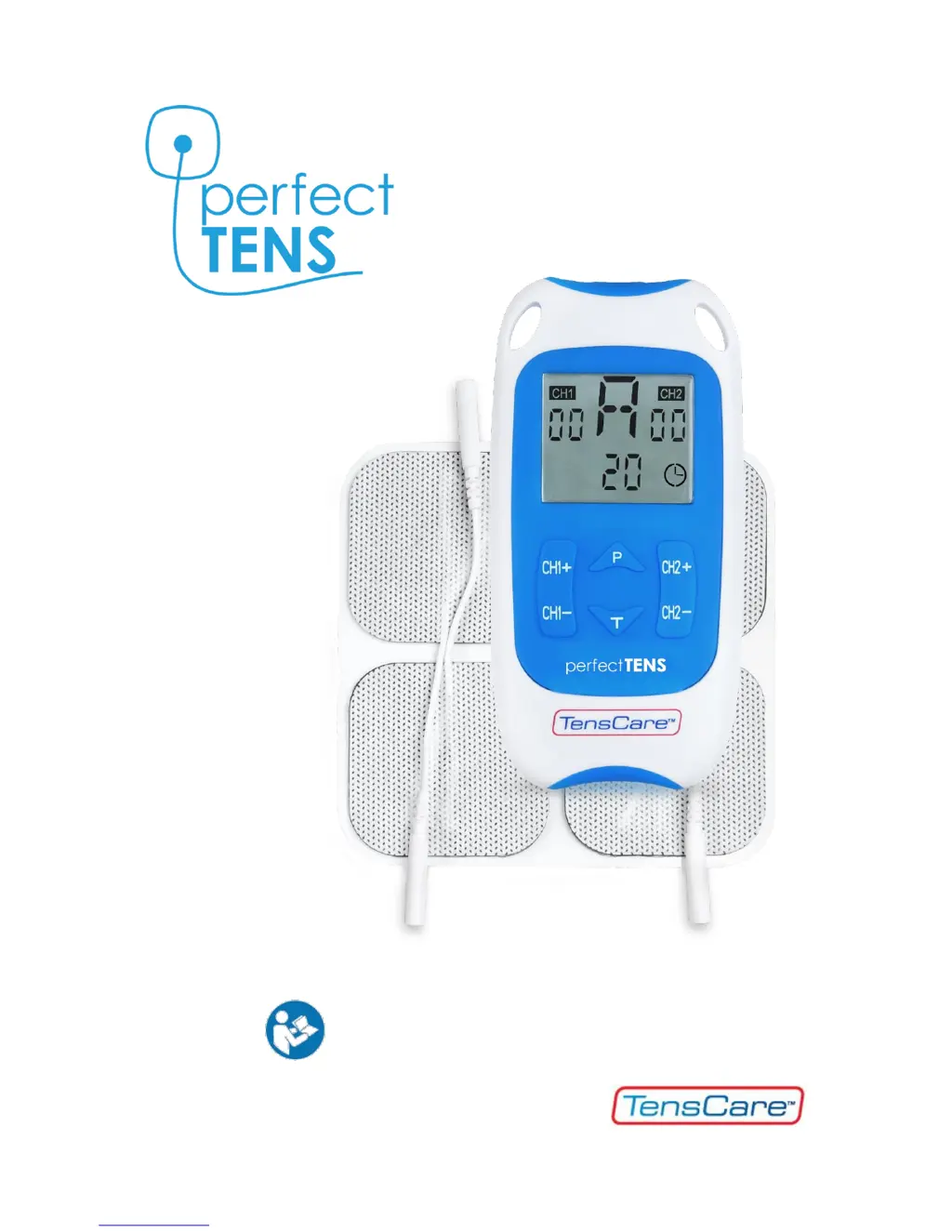
Description of the Perfect TENS unit for home pain relief applications.

Intended Use of TENS

Medical device for home healthcare pain and muscle management.

Key Features of Perfect TENS

Highlights dual channel, stimulation comfort, programmes, memory, and safety features.

How TENS Technology Works

TENS Mechanism Explained

Explains Transcutaneous Electrical Nerve Stimulation for natural pain relief.

Pain Gate Theory

Stimulates sensory nerves to block pain signals travelling to the brain.

Endorphin Release Theory

Stimulates motor nerves to release natural pain-killing endorphins.

Safety: Contraindications, Warnings, Cautions

Understanding Safety Icons

Explains the meaning of Warning, Caution, and Note symbols in the manual.

Critical Contraindications

Lists conditions where TENS MUST NOT be used, e.g., pacemakers, pregnancy.

Important Safety Guidelines

General Operational Warnings

Advises against use during driving, masking undiagnosed pain, or with cancer history.

Specific Usage Cautions

Covers epilepsy, monitoring equipment, surgical procedures, and electromagnetic fields.

Electrode Placement Restrictions

Details areas where electrode pads should not be placed, e.g., front of neck, eyes.

Device and Pad Care Instructions

Electrode Pad Specific Cautions

Addresses allergic reactions, using recommended pads, and latex content.

Device Maintenance Cautions

Provides cautions on avoiding water, heat, sunlight, lint, and dust.

Programme Setting Parameters

Explains Frequency (Hz) and Pulse Width (µs) for pain relief programmes.

Understanding TENS Programme Settings

Frequency and Pulse Width Effects

Details how frequency and pulse width influence stimulation and pain relief.

Stimulation Modes Explained

Describes Constant, Burst, Modulation, and HAN stimulation modes.

Perfect TENS Programmes

Preset Programmes Overview

Guide to selecting the best programme and pad placement for individual pain.

Programme P (Pain Gate)

Provides pain relief that wears off after a few hours.

Programme E (Endorphin Release)

Builds up pain relief over 40 mins, lasting for hours.

Programme A: Gentle Start

Gentlest option for first-time users, good for nerve-rich areas.

Detailed Programme Descriptions

Programme B: Acupuncture-Like

Low frequency, pulsing for chronic pain and muscle contractions.

Programme C: Combined P+E

Effective for radiating/deep pain, uses high frequency in low frequency bursts.

Programme D: Soothing;Relaxing

Ideal for nausea, travel/morning sickness, uses wrist placement.

Programme E: Penetrating Feel

A stronger, more penetrating version of Programme A.

Programme Usage and Pad Application

Programme F & G Usage

Programme F for slow relaxing massage; G for chronic pain over long periods.

Programme H: Alternating Sensation

Alternates low/high frequency and tapping/tingling for effective pain relief.

Manual Programme M Setup

Guide to setting frequency, pulse width, and timer manually.

General Programme Usage Tips

Advice on continuous use, pad repositioning, and session duration.

Electrode Pad Best Practices

Pad Placement Guidelines

Guidance on placing pads relative to pain source and spine for optimal nerve stimulation.

Pad Care and Storage

Tips on pad reusability, cleanliness, storage, and potential skin irritation.

Package Contents List

Lists all items included in the Perfect TENS package.

Perfect TENS Unit Information

Controls and Display Overview

Identifies all buttons and display elements of the Perfect TENS unit.

Operating the TENS Device

Powering the Unit On and Off

Instructions for turning the TENS unit ON and OFF using the designated button.

Adjusting Stimulation Strength

How to increase or decrease stimulation intensity for each channel.

Selecting TENS Programmes

Using the P button to cycle through programmes A-H and manual M.

Key TENS Unit Functions

Treatment Timer Function

How to set session duration for programmes.

Low Battery and Keypad Lock

Alerts for low battery and how the keypad lock prevents accidental changes.

Advanced Functions: Cutout & Memory

Details open circuit cutout, programme retention, usage tracking, and memory reset.

Setting Up Your TENS Device

Battery Installation and Safety

Guide to inserting batteries, battery life, and important warnings.

Connecting Lead Wires to Unit

Instructions on how to connect lead wires to the unit and pads.

Preparing and Executing a TENS Session

Skin Preparation for TENS

Ensuring clean, dry skin and optional use of conductivity wipes.

Starting and Conducting a Session

Steps to turn on the unit, select programmes, and adjust intensity.

Post-Session Care and Maintenance

Ending a Treatment Session

Steps for safely removing pads and switching off the unit.

Cleaning and Storing the TENS Unit

Guidance on cleaning the unit and storing it properly.

EMC and WEEE Disposal

Information on electromagnetic compatibility and electronic waste disposal.

Accessories and Product Lifespan

Product Disposal and Returns

Information on returning old units for disposal and environmental compliance.

Replacement Accessories

Lists available replacement parts like pads, lead wires, and batteries.

Expected Service Life Details

Details the expected lifespan of the machine and its accessories.

Warranty and Service Information

Product Warranty Coverage

Explains what the warranty covers and conditions for voiding it.

Preparing Unit for Service

Instructions on preparing the unit for return for repair.

Returning Unit for Repair

Procedure for sending the unit back for warranty service.

Troubleshooting Guide

Common TENS Problems and Solutions

Lists common problems, their possible causes, and solutions.

General Product Specifications

Technical Performance Specs

Details waveform, amplitude, channels, weight, dimensions, and safety classification.

Environmental Operating Specs

Lists operating and storage temperature, humidity, and pressure ranges.

EC Declaration and Support

Contact and Social Media Links

Provides TensCare contact details, website, and social media links.

TensCare perfect TENS Specifications

General IconGeneral
Form factorSticker plate
Product colorBlue, White
Number of programs8
Adjustable intensityYes
Number of electrodes4
Number of intensity levels60
Display typeLCD
Weight and Dimensions IconWeight and Dimensions
Depth20 mm
Width60 mm
Height120 mm
Weight75 g

Related product manuals